Best UPS Setup for Small Office Networks
A practical UPS design for small offices supporting 20–50 users, focusing on load protection, runtime, and network continuity.
Introduction
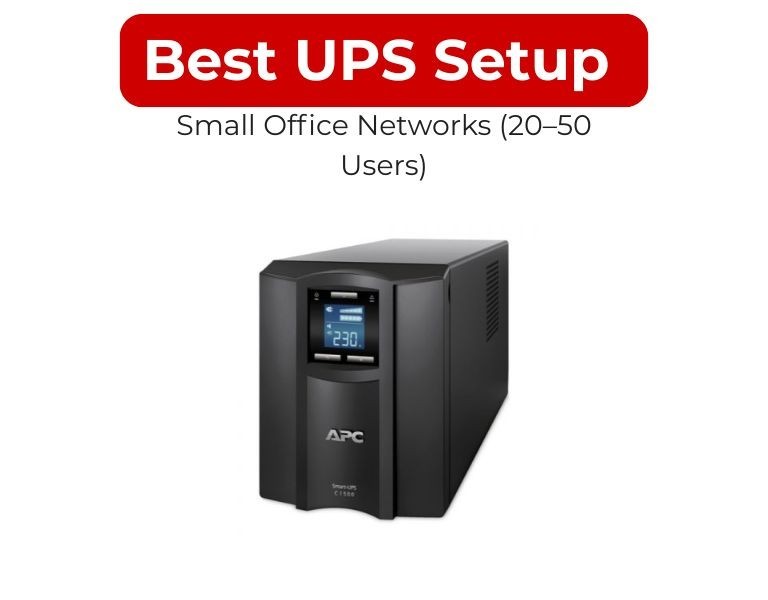
For a 20–50 user office, the optimal UPS setup is 2–5 kVA rack-mounted APC Smart-UPS (line-interactive or online), sized around 2–4 kW load with 10–15 minutes runtime and basic network monitoring. This ensures controlled shutdown and keeps core network services online during short outages.
Use Case / Deployment Fit
Typical Small Office Network (20–50 Users)
- 1–3 racks or wall-mounted cabinet
- Core devices:
- 1–2 switches (often PoE)
- Firewall/router
- 1–3 small servers or NAS
- Load range: 1.5–4 kW
- No dedicated power infrastructure
- Short outages more common than long blackouts
Technical Breakdown
1. Load Sizing (Realistic Approach)
- Switch (PoE): 300–800W
- Firewall/router: 50–150W
- Server/NAS: 300–800W each
- Total typical load: 2–3 kW
Add 20–25% headroom → target UPS capacity: 3–5 kVA
A typical 1500VA unit delivers ~900–1000W usable power, so multiple or higher-capacity units are needed for full office coverage
2. Recommended UPS Type
Line-interactive (APC Smart-UPS)
- Best for stable power environments
- Built-in AVR handles voltage fluctuations
- Cost-effective for SMB
Online (Double-conversion)
- Use if:
- Voltage instability is frequent
- Office runs critical apps (VoIP, ERP, remote access)
3. Architecture Options
Option A: Single Central UPS (Most Common)
- 3–5 kVA rack UPS
- Powers entire rack via PDU
- Simple deployment
Option B: Segmented UPS (Higher Reliability)
- 1 UPS for network core
- 1 UPS for servers
- Prevents total outage if one UPS fails
4. Runtime Planning
- 5–10 minutes → safe shutdown
- 10–15 minutes → maintain connectivity during short outages
- External battery packs optional for extended runtime
5. Form Factor
- Rack-mounted (2U–3U) preferred
- Tower acceptable if no rack exists
- Check rack depth vs UPS depth (common issue)
6. Monitoring & Shutdown
- Use PowerChute or SNMP
- Enable:
- Automatic server shutdown
- Email/SNMP alerts
- Prevents data corruption during outages
Comparison Table (Typical APC Setup Options)
| Factor | 1.5 kVA UPS | 3 kVA UPS | 5 kVA UPS |
|---|
| Usable Power | ~900–1000W | ~2.7 kW | ~4–4.5 kW |
| Fit | Very small office | 20–30 users | 30–50 users |
| Runtime (avg load) | 5–10 min | 10–15 min | 10–20 min |
| Form Factor | 1U–2U | 2U–3U | 3U+ |
| Scalability | Limited | Moderate | High |
Limitations & Trade-offs
Single UPS Setup
- Single point of failure
- Cheaper and simpler
Multiple UPS Setup
- Higher cost
- Better fault isolation
Line-interactive UPS
- Not ideal for highly unstable grids
Online UPS
- Higher cost and power consumption
Procurement Insight
- Standardize on one UPS model across offices
- Ensure battery replacement cycle (2–4 years) is planned
- Verify output sockets (C13/C19) match your PDU
- Avoid oversizing—efficiency drops at low load
- Prioritize models with network management capability
Businesses scaling SMB infrastructure often standardize on APC Smart-UPS units and source consistent models and replacement batteries through distributors like DC Supplies to simplify maintenance and ensure availability across multiple locations.
Real-world Scenarios
Scenario 1: 20-User Office
- Load: ~1.8 kW
- UPS: 3 kVA rack-mounted
- Runtime: 10 minutes
- Goal: safe shutdown + short outage coverage
Scenario 2: 35-User Office with VoIP
- Load: ~2.8 kW
- UPS: 3–5 kVA
- Runtime: 15 minutes
- Priority: keep phones + network online
Scenario 3: 50-User Office (Heavy Usage)
- Load: ~4 kW
- UPS: 5 kVA
- Optional: second UPS for redundancy
- Runtime: 15–20 minutes
Final Recommendation
- Use 3 kVA APC Smart-UPS when:
- Office has ~20–30 users
- Load is under ~3 kW
- Goal is shutdown + short uptime
- Use 5 kVA UPS when:
- User count approaches 50
- Load exceeds ~3 kW
- Network uptime is important
- Avoid using <2 kVA UPS for full office networks—it cannot handle real-world load reliably.
The right setup is not just about capacity—it’s about ensuring network continuity, controlled shutdown, and predictable behavior during outages.

















Comments (0)
No comment