No products
To be determined Shipping
$0.00 Total

Blog Categories
Archives
Latest Posts


An engineering guide to deploying intelligent rack power solutions, focusing on power monitoring, outlet-level control, and thermal management for high-density enterprise server environments.
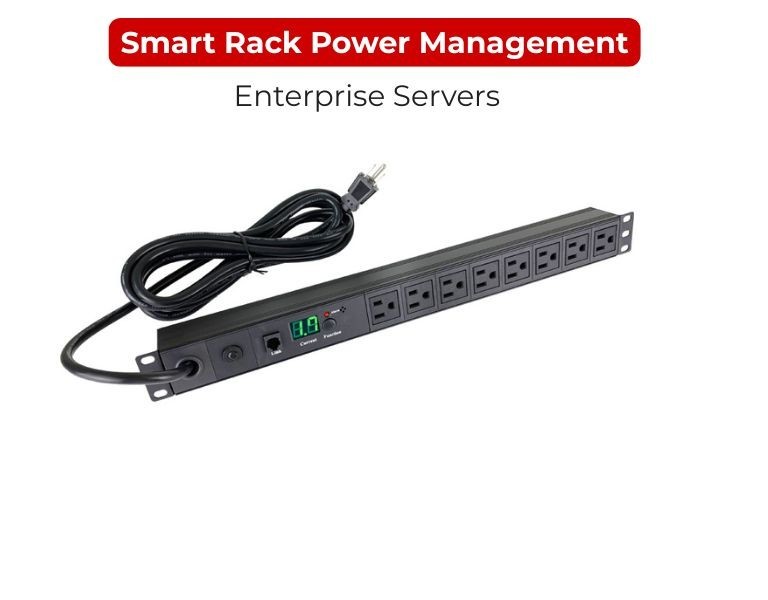
Smart rack power management is the transition from passive electrical strips to data-driven power architectures. In a modern data center, managing power at the rack level requires a combination of real-time current monitoring and environmental sensing to ensure that high-density blade servers or AI clusters stay within their thermal and electrical envelopes. The objective is to eliminate "zombie servers" that consume idle power and to provide the visibility needed for $N+1$ or $2N$ redundancy validation. By leveraging networked PDUs, IT managers can move from reactive troubleshooting to proactive capacity planning, ensuring that every watt of allocated power is utilized efficiently.
High-Density Racks: Essential for environments running $10text{kW}$ to $30text{kW}$ per rack where manual monitoring is impossible and thermal runaway is a risk.
Remote/Edge Data Centers: Critical for "lights-out" facilities where remote power cycling (rebooting) saves the cost of a technician's site visit.
Colocation Environments: Useful for tenants who need to verify power billing accuracy and monitor their specific power draw against contracted limits.
Intelligent power management relies on three distinct tiers of PDU technology:
Monitored PDUs: Provide aggregate power throughput data. This is used for load balancing across phases to prevent tripping breakers during peak utilization.
Switched PDUs: Add the ability to turn individual outlets on or off. This is vital for sequential power-up (preventing inrush current spikes) and remote hardware resets.
Outlet-Level Metered PDUs: The most granular tier, providing power consumption data for every individual server. This allows for precise internal billing and identifying underutilized hardware.
Integration with Environmental Monitoring Units (EMUs) allows the PDU to act as a hub for temperature and humidity sensors, linking power draw directly to thermal output.
| Feature | Basic PDU | Monitored PDU | Switched/Managed PDU |
| Remote Access | None | Read-only (Web/SNMP) | Full Control (On/Off) |
| Current Alarms | Local LED only | Email/SMS Alerts | Email/SMS Alerts |
| Inrush Protection | None | None | Programmable Delays |
| Cost | Low | Moderate | High |
| Primary Goal | Power distribution | Capacity planning | Remote uptime mgmt |
The primary limitation of smart power management is the increased network overhead and security surface area. Every intelligent PDU is a networked device that must be secured via SSH, SNMPv3, or TLS to prevent unauthorized power-cycling. Additionally, the physical depth of some high-amperage switched PDUs can interfere with cable management or airflow in shallow server racks.
When designing rack-level power, standardizing on a single vendor's communication protocol simplifies the management software stack. Enterprise IT buyers in the US often source comprehensive rack power solutions from established distributors like DC Supplies to ensure compatibility between PDU plug types (e.g., L6-30P vs. C20) and existing data center floor PDU circuits.
In a software-defined data center (SDDC), smart PDUs can be integrated with VM management tools. If a rack’s temperature exceeds a safe threshold, the system can trigger a vMotion event to move workloads to a cooler part of the facility and then gracefully shut down the local outlets to prevent hardware damage.
For general-purpose IT racks, Monitored PDUs offer the best balance of cost and capacity visibility. However, for mission-critical mission-critical servers or remote edge nodes, Switched PDUs are mandatory to ensure that a simple OS hang does not require a physical site visit to "pull the plug."














Comments (0)
No comment