How APC UPS and PDU Work Together in IT Infrastructure
A practical explanation of how APC UPS systems and rack PDUs integrate to deliver stable, manageable, and redundant power inside IT racks.
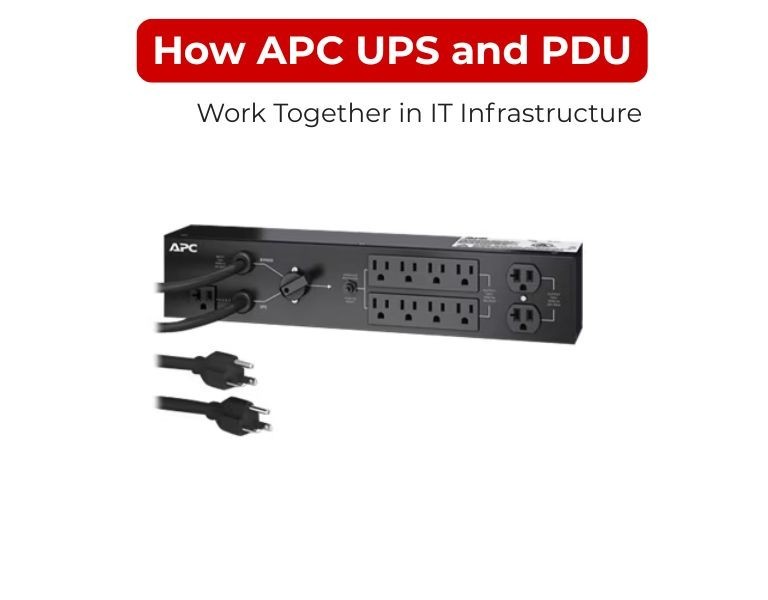
Introduction (direct answer first)
An APC UPS provides clean, battery-backed power, while a rack PDU distributes that power safely to each device in the rack.
The UPS protects against outages and power issues; the PDU ensures controlled, scalable delivery to servers, storage, and network equipment.
They are not interchangeable—they solve different layers of the same power chain.
Use Case / Deployment Fit
Standard enterprise rack
- UPS (rack or upstream) + dual PDUs
- Balanced A/B power feeds
- Metered or switched PDUs
Data center row / white space
- Centralized UPS systems
- PDUs per rack for distribution and monitoring
Edge / branch environments
- Rack-mounted UPS
- Single or dual PDU depending on uptime needs
Technical Breakdown
1. Power Flow Architecture
Typical rack design:
Utility Power → UPS → PDU → IT Equipment
- UPS role:
- Converts incoming AC to stable output
- Provides battery backup during outages
- Filters spikes, sags, and electrical noise
- PDU role:
- Distributes power to multiple devices
- Provides outlet types (C13/C19)
- Enables monitoring and control (depending on model)
2. Functional Separation
UPS handles:
- Power conditioning
- Battery backup (runtime)
- Automatic transfer during outages
PDU handles:
- Power distribution inside the rack
- Load balancing across outlets/phases
- Device-level control (in switched models)
Impact: Removing either component creates a gap—no protection (without UPS) or no structured distribution (without PDU).
3. Redundancy Design (A/B Feeds)
In production racks:
- Two PDUs (A and B)
- Each connected to separate UPS systems or UPS outputs
- Devices with dual PSUs split across both PDUs
Result:
- Failure of one UPS or PDU does not bring down the rack
4. Load Management
- UPS capacity defines total available power
- PDU defines how that power is allocated
Best practice:
- Keep UPS load below ~80%
- Monitor PDU load to avoid circuit imbalance
5. Monitoring & Control Integration
UPS monitoring:
- Battery status
- Runtime remaining
- Input/output voltage
PDU monitoring:
- Total load (metered)
- Per-outlet consumption (advanced models)
- Remote on/off control (switched PDUs)
Together, they provide full visibility:
- UPS = power health
- PDU = power usage
6. Runtime vs Distribution
- UPS determines how long systems stay online
- PDU determines which systems receive power and how
Example:
- During an outage, UPS supplies power
- PDU ensures all connected devices receive stable output
- Switched PDU can shut down non-critical loads to extend runtime
Comparison Table
| Function | UPS | PDU |
|---|
| Battery backup | Yes | No |
| Power conditioning | Yes | No |
| Power distribution | No | Yes |
| Monitoring | System-level | Rack / outlet-level |
| Remote control | Limited | Advanced (switched models) |
| Role | Protection | Distribution |
Limitations & Trade-offs
UPS limitations:
- Limited runtime (battery dependent)
- Higher cost per kW
- Requires battery maintenance
PDU limitations:
- No backup capability
- Dependent on upstream power (UPS or utility)
- Advanced models increase cost
Combined consideration:
- Over-sizing UPS without proper PDU monitoring leads to blind spots
- Using basic PDUs with enterprise UPS reduces operational visibility
Procurement Insight
The mistake is treating UPS and PDU as separate purchases.
They should be designed together:
- UPS capacity must align with total rack load
- PDU type must match monitoring and control requirements
- Outlet mix must match actual equipment
Typical enterprise approach:
- UPS: Sized for full rack load + runtime requirement
- PDU: Switched or metered for visibility and control
Organizations standardize both components together to ensure compatibility, firmware consistency, and deployment speed—often sourcing through distributors like DC Supplies to align rack-ready configurations.
Real-world Scenarios
Scenario 1: Virtualized Rack
- Rack-mounted UPS
- Dual switched PDUs
- Enables graceful shutdown + remote control
Scenario 2: Data Center with Central UPS
- Facility UPS provides backup
- Rack PDUs handle distribution and monitoring
Scenario 3: Edge Site / Remote Location
- Small UPS + switched PDU
- Remote reboot avoids onsite visits
Scenario 4: High-Density Rack
- High-capacity UPS (or centralized feed)
- Metered-by-outlet PDUs for load tracking
Final Recommendation
- Always deploy UPS + PDU together—they serve different roles
- Design for A/B redundancy wherever uptime matters
- Use metered or switched PDUs to complement UPS visibility
If unsure, default to:
- Properly sized UPS (with headroom)
- Dual rack PDUs (A/B feeds)
- At least input-level monitoring
This combination delivers stable, manageable, and scalable power for most IT environments.

















Comments (0)
No comment