Critical IT Infrastructure Power Backup Strategy Guide
A decision-focused framework for designing resilient power backup across critical IT systems using UPS, battery, and generator integration.
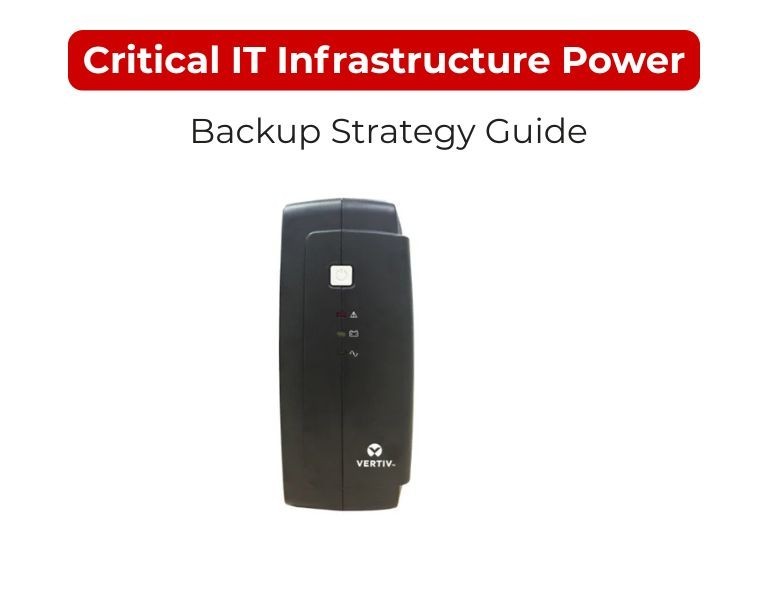
Introduction
A reliable power backup strategy is built on accurate load (kW), defined uptime targets, UPS architecture (N+1/2N), and integration with generators. Critical IT environments should prioritize continuity, not just shutdown—meaning systems must survive outages without service interruption.
Use Case / Deployment Fit
Critical Environments
- Data centers (enterprise / colocation)
- Financial systems (trading, banking)
- Healthcare IT (EMR, diagnostics)
- Industrial control systems (SCADA)
- Core network infrastructure
Common Requirements
- Zero or near-zero downtime tolerance
- Redundant power paths (A/B feeds)
- Predictable runtime and failover
- Continuous monitoring and alerting
Technical Breakdown
1. Define Availability Target
- 99.9% (non-critical) → basic UPS
- 99.99%+ → redundancy required
- Tier-aligned design (Uptime Institute approach)
Higher availability demands elimination of single points of failure.
2. Load Assessment (kW-Based)
- Use real-time monitoring (not nameplate)
- Segment load:
- Critical (must stay online)
- Non-critical (can shut down)
- Add 20–30% growth headroom
3. UPS Architecture
N (No Redundancy)
- Meets load only
- Risk: single failure = downtime
N+1 (Recommended Minimum)
- One extra module/system
- Handles failure without downtime
2N (Full Redundancy)
- Dual independent systems
- Used in high-availability environments
4. UPS Topology
- Online (double-conversion) only
- Provides:
- Zero transfer time
- Voltage/frequency isolation
- Clean output for sensitive equipment
Line-interactive is not suitable for critical infrastructure.
5. Runtime Strategy
- 10–15 minutes: bridge to generator
- 15–30 minutes: added resilience
30 minutes: high-cost, used selectively
UPS is not a long-term power source—it buys time for generator startup or controlled failover.
6. Generator Integration
- Automatic Transfer Switch (ATS) required
- Synchronization with UPS critical
- Regular testing mandatory
UPS + generator = complete power continuity chain
7. Battery Technology
VRLA (Lead-acid)
- Lower upfront cost
- Shorter lifespan (3–5 years)
Lithium-ion
- Higher cost
- Longer life (8–12 years)
- Better for high-density deployments
8. Power Distribution Design
- Dual power paths (A/B feeds)
- Rack-level PDUs with monitoring
- Avoid shared failure points
9. Monitoring & Management
- Centralized monitoring (SNMP/DCIM)
- Real-time alerts (battery, load, faults)
- Automated shutdown for non-critical systems
Comparison Table
| Component | Basic Strategy | Critical Infrastructure Strategy |
|---|
| UPS Design | Single UPS (N) | N+1 or 2N |
| UPS Type | Line-interactive / Online | Online only |
| Runtime | Shutdown-focused | Generator bridge |
| Power Path | Single | Dual (A/B) |
| Monitoring | Optional | Mandatory |
| Failure Tolerance | Low | High |
Limitations & Trade-offs
High Redundancy Designs
- Increased capital cost
- More complex maintenance
- Requires skilled operation
Battery Systems
- Degrade over time regardless of use
- Environmental sensitivity (temperature critical)
Generator Dependency
- Requires fuel logistics
- Must be tested regularly to avoid failure during outage
Procurement Insight
- Design for failure scenarios, not normal operation
- Avoid mixing different UPS models in the same architecture
- Validate scalability path (modular UPS preferred)
- Include service and maintenance contracts in planning
- Standardize components across sites to simplify spares and support
Enterprise IT environments often standardize on APC UPS platforms for critical infrastructure and source compatible systems and battery modules through distributors like DC Supplies to maintain consistency and reduce deployment risk.
Real-world Scenarios
Scenario 1: Enterprise Data Center (100 kW Load)
- UPS: 2 x 100 kW (2N architecture)
- Runtime: 15 minutes
- Generator-backed
- Dual A/B power distribution
Scenario 2: Financial Institution Core Systems
- UPS: Modular N+1 system
- Runtime: 20 minutes
- High monitoring and alerting integration
Scenario 3: Healthcare IT Infrastructure
- UPS: N+1 configuration
- Runtime: 15 minutes
- Priority: zero downtime for critical systems
Final Recommendation
- Use N+1 minimum for any critical IT environment
- Implement online UPS + generator integration
- Design dual power paths (A/B) to eliminate single failure points
- Prioritize monitoring and lifecycle management as much as hardware
Critical power strategy is not about equipment—it’s about ensuring continuous operation under failure conditions.

















Comments (0)
No comment