How to Choose APC UPS for Network Closets and Edge Deployments
A practical guide to selecting APC UPS systems for network closets and edge sites based on load, runtime, space, and remote management needs.
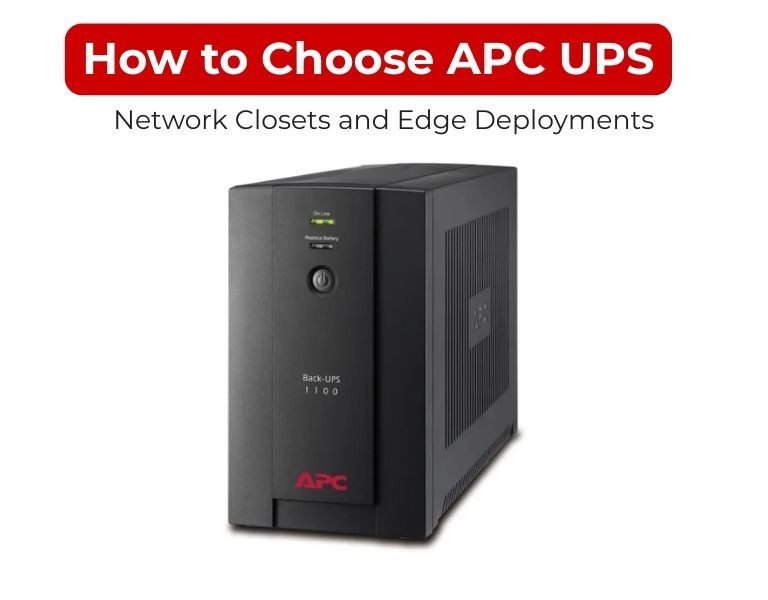
Introduction
For network closets and edge deployments, choose an APC UPS based on low-to-mid load (0.5–5 kW), short runtime (5–15 minutes), compact form factor, and remote monitoring capability. Reliability and manageability matter more than high capacity or complex redundancy.
Use Case / Deployment Fit
Network Closet
- Load: 500W – 3 kW
- Equipment: switches, routers, firewall, small server
- Limited space, often wall-mounted racks
- Runtime: 5–10 minutes (graceful shutdown or ride-through)
Edge Deployment (Branch / Remote Site)
- Load: 1–5 kW
- Equipment: SD-WAN, PoE switches, IoT gateways, small compute
- Often unmanned locations
- Runtime: 10–20 minutes
- Remote monitoring is critical
Technical Breakdown
1. Load Sizing
- Calculate actual watt draw (not nameplate)
- Add 20–25% headroom
- Avoid oversizing beyond this—efficiency drops at low load
2. UPS Type
- Line-interactive: acceptable for basic network closets with stable power
- Online (double-conversion): recommended for edge sites with unstable grids or critical connectivity
3. Capacity Range
- 1–2 kVA: small closets (switch + router)
- 2–3 kVA: closets with PoE switches and firewall
- 3–5 kVA: edge racks with compute + networking
4. Form Factor Constraints
- Prefer rack-mounted (1U–3U) for structured setups
- Use compact/tower where rack depth is limited
- Check rack depth vs UPS chassis depth (common mismatch issue)
5. Runtime Strategy
- Network closet: just enough to prevent abrupt shutdown
- Edge: extended runtime for connectivity continuity
- Use external battery packs if downtime impact is high
6. Remote Management
- Mandatory for edge deployments
- Ensure support for SNMP / network management card
- Integration with monitoring tools (alerts, shutdown automation)
7. Power Distribution
- Verify outlet types (C13/C19)
- Ensure compatibility with existing PDUs
- Avoid adapters (failure point in small setups)
Comparison Table
| Factor | Network Closet UPS | Edge Deployment UPS |
|---|
| Load Range | 0.5–3 kW | 1–5 kW |
| UPS Type | Line-interactive / Online | Online preferred |
| Runtime | 5–10 min | 10–20 min |
| Monitoring | Optional | Required |
| Form Factor | Compact rack/tower | Rack-mounted |
| Redundancy | None | Rare (cost-driven) |
Limitations & Trade-offs
Compact UPS Systems
- Limited battery expansion
- Short runtime without external packs
- Lower efficiency if oversized
Edge UPS Deployments
- No redundancy → single point of failure
- Dependence on remote monitoring (misconfig = blind spot)
- Environmental risks (heat, dust in remote sites)
Procurement Insight
- Standardize UPS models across sites for easier management
- Always include network management card for edge locations
- Validate rack depth and mounting compatibility before purchase
- Factor in battery replacement cycles (2–4 years typical)
- Avoid cheapest models—failure at edge impacts entire branch connectivity
Organizations managing distributed IT environments often standardize on APC UPS platforms and source consistent models and battery replacements through suppliers like DC Supplies to simplify deployment and maintenance across multiple locations.
Real-world Scenarios
Scenario 1: Small Network Closet
- Load: 800W (switch + router)
- UPS: 1.5 kVA line-interactive
- Runtime: 7 minutes
- No remote monitoring
Scenario 2: Retail Branch Edge Rack
- Load: 2.5 kW
- UPS: 3 kVA online rack-mounted
- Runtime: 15 minutes
- SNMP monitoring enabled
Scenario 3: Remote Site with Unstable Power
- Load: 4 kW
- UPS: 5 kVA online UPS
- External battery pack added
- Goal: maintain connectivity during outages
Final Recommendation
- Use line-interactive APC UPS when:
- Power is stable
- Load is low (<2 kW)
- Budget and simplicity matter
- Use online APC UPS when:
- Site is remote or power is unstable
- Connectivity uptime is critical
- Load exceeds ~2–3 kW
- Always prioritize remote visibility over extra runtime in edge deployments—unmonitored systems fail silently.
Correct selection is driven by site criticality and manageability, not just wattage.

















Comments (0)
No comment