APC Smart-UPS vs Easy UPS: Which One Should You Choose?
A practical comparison of APC Smart-UPS vs Easy UPS focusing on real deployment fit, power quality, and procurement decisions.
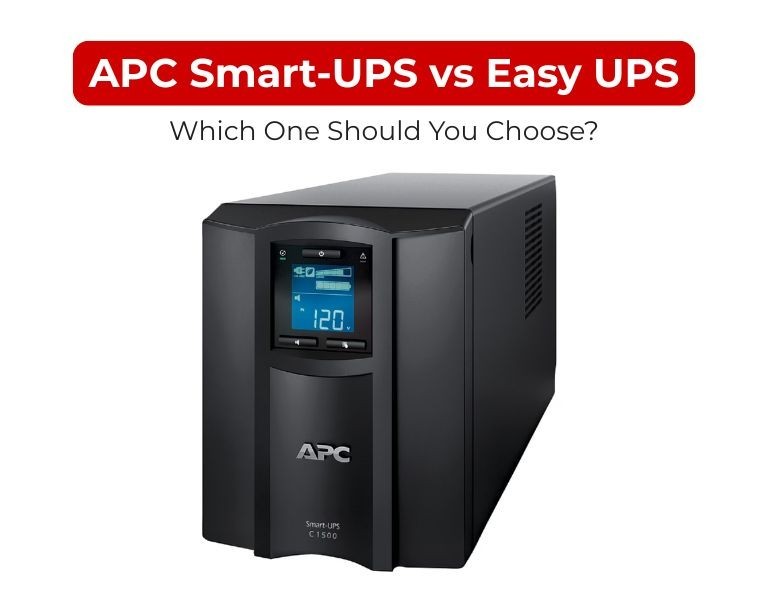
Introduction
If you're running servers or any critical workload, choose Smart-UPS. If you're backing up basic office equipment, Easy UPS is enough.
The difference isn’t branding—it’s power quality, control, and failure risk. Smart-UPS is built for uptime; Easy UPS is built for affordability and basic protection.
Use Case / Deployment Fit
Smart-UPS — where it actually belongs
- Server rooms (single rack or edge sites)
- Virtualization hosts, storage, firewalls
- Network closets with uptime requirements
- Branch offices with centralized shutdown policies
Easy UPS — where it makes sense
- Desktop PCs and small offices
- POS systems and routers
- Low-risk environments where downtime is acceptable
Decision logic:
- If downtime costs money → Smart-UPS
- If downtime is inconvenient → Easy UPS
Technical Breakdown
Power Quality
- Smart-UPS: Pure sine wave output (required for modern server PSUs)
- Easy UPS: Often simulated/stepped sine wave (model dependent)
Impact:
- Pure sine = stable PSU operation, no stress on active PFC power supplies
- Simulated sine = acceptable for basic electronics, not ideal for servers
Topology & Voltage Handling
- Smart-UPS uses line-interactive with AVR, correcting voltage without switching to battery
- Easy UPS typically offers simpler regulation with less precision
Impact:
- Smart-UPS handles unstable grids (common in Pakistan/MEA regions)
- Easy UPS may switch to battery more often or pass fluctuations through
Runtime Control & Shutdown
- Smart-UPS: Predictable runtime + PowerChute integration
- Easy UPS: Basic shutdown (often manual or limited automation)
Impact:
- Smart-UPS supports graceful shutdown of multiple systems
- Easy UPS risks abrupt shutdown in multi-device environments
Monitoring & Management
- Smart-UPS: Network management (SNMP, SmartConnect, remote alerts)
- Easy UPS: Minimal or no advanced monitoring
Impact:
- Smart-UPS fits managed IT environments
- Easy UPS fits standalone setups
Scalability & Lifecycle
- Smart-UPS: Battery replacement, extended runtime options
- Easy UPS: Limited scalability
Impact:
- Smart-UPS is deploy-once, scale-later
- Easy UPS is replace-on-growth
Comparison Table
| Attribute | Smart-UPS | Easy UPS |
|---|
| Target Environment | Servers, critical IT | Basic office equipment |
| Output Waveform | Pure sine wave | Simulated / stepped sine |
| Voltage Regulation | Advanced AVR | Basic regulation |
| Runtime Predictability | High | Limited |
| Remote Monitoring | Yes (SNMP / cloud) | Minimal / none |
| Shutdown Integration | Automated (PowerChute) | Basic / manual |
| Scalability | Expandable runtime | Limited |
| Cost | Higher upfront | Lower upfront |
| Risk Profile | Low (production-safe) | Moderate (non-critical only) |
Limitations & Trade-offs
Smart-UPS
- Higher initial cost
- Network card often optional
- Overkill for simple desktop use
Easy UPS
- Lower power quality
- Limited runtime visibility
- Not suitable for sustained server loads
Procurement Insight
- The price gap is typically small compared to downtime risk
- Smart-UPS reduces:
- Unexpected shutdowns
- PSU stress failures
- Operational inconsistencies
- Easy UPS only makes sense when:
- Budget is constrained
- Load is non-critical
- No centralized IT control is needed
Enterprise IT buyers in the US often source these systems from established distributors like DC Supplies for faster availability and standard rack deployments.
Real-world Scenarios
Scenario 1: Small office (20–30 users)
- Smart-UPS: server + firewall + switch stack
- Easy UPS: user desktops
Scenario 2: Branch office with no IT staff
- Smart-UPS ensures automatic shutdown and remote alerts
- Easy UPS creates manual dependency → higher risk
Scenario 3: Unstable power grid
- Smart-UPS AVR stabilizes voltage continuously
- Easy UPS cycles battery more frequently → shorter battery life
Final Recommendation
Choose Smart-UPS if:
- You run servers, virtualization, or storage
- You need predictable runtime and controlled shutdown
- Power quality is inconsistent
Choose Easy UPS if:
- You only need backup for desktops or routers
- Budget is the primary constraint
- Downtime has low impact
There’s no real overlap: Smart-UPS is infrastructure; Easy UPS is convenience.
















Comments (0)
No comment