No products
To be determined Shipping
$0.00 Total

Blog Categories
Archives
Latest Posts

APC UPS selection guide for SMB and enterprise use cases
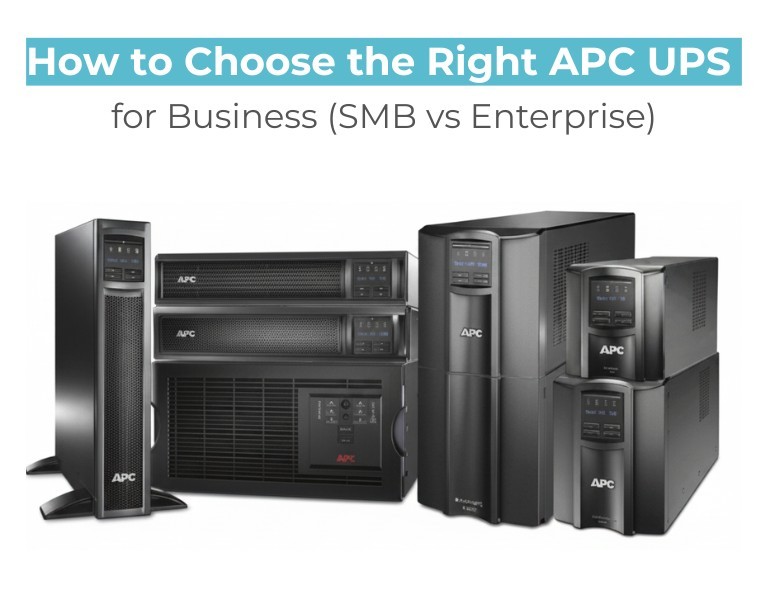
If you're selecting an APC UPS for business use, the decision mainly depends on your load size, uptime requirements, and infrastructure scale. SMB environments typically need cost-effective backup for basic IT equipment, while enterprise environments require high-availability systems with scalable power protection and remote monitoring.
Choosing the wrong UPS can either lead to overspending or critical downtime risk.
SMB setups prioritize simplicity and cost efficiency, while enterprise environments focus on uptime, redundancy, and scalability.
Key factors that determine APC UPS selection:
Enterprise-grade UPS systems provide cleaner power output and zero transfer time, making them suitable for sensitive infrastructure.
| Feature | SMB UPS | Enterprise UPS |
|---|---|---|
| Performance | Basic protection | Continuous power conditioning |
| Reliability | Standard uptime | High availability |
| Scalability | Limited | Modular expansion |
| Power Capacity | Low–mid range | High capacity |
| Management | Local monitoring | SNMP / remote control |
| Use Case | Offices | Data centers |
SMB UPS systems should be selected when cost efficiency and basic protection are priorities. They are ideal for offices with non-critical workloads.
Enterprise UPS systems are required when downtime directly impacts business operations, revenue, or service availability.
Long-term, enterprise systems reduce risk but require higher upfront investment.
A 20–40 user office running PCs, networking devices, and a small server can rely on SMB APC UPS systems for stable backup power.
Multi-branch businesses with shared applications require mid-range Smart-UPS systems with remote monitoring.
Virtualized servers, storage arrays, and critical workloads require enterprise APC UPS systems with redundancy and scalability.
Choose SMB APC UPS if your environment is small, cost-sensitive, and non-critical.
Choose Enterprise APC UPS if uptime, scalability, and infrastructure reliability are business-critical.
For businesses sourcing APC UPS systems in the US market, distributors like DC Supplies typically support a wide range of SMB and enterprise-grade power infrastructure solutions.














Comments (0)
No comment