Close

Latest Posts

How to Choose APC UPS Runtime Based on Business Load
A practical guide to selecting APC UPS runtime based on actual business load, outage tolerance, and operational...
on Apr 24, 2026 | by Justin
How to Choose APC UPS Capacity (VA vs Watt Guide for Buyers)
A buyer-focused guide to correctly sizing APC UPS capacity using VA vs Watt, with real-world load calculation and...
on Apr 24, 2026 | by Justin
How to Choose APC UPS for Network Closets and Edge Deployments
A practical guide to selecting APC UPS systems for network closets and edge sites, focused on load sizing, runtime,...
on Apr 24, 2026 | by Justin

How to Choose APC UPS for Server Rooms and Small Data Centers

Posted on: Apr 24, 2026 | Author: justin | Categories: APC, UPS, Server Room

A practical sizing and selection guide for APC UPS systems in server rooms and small data centers, focused on load, runtime, and deployment fit.
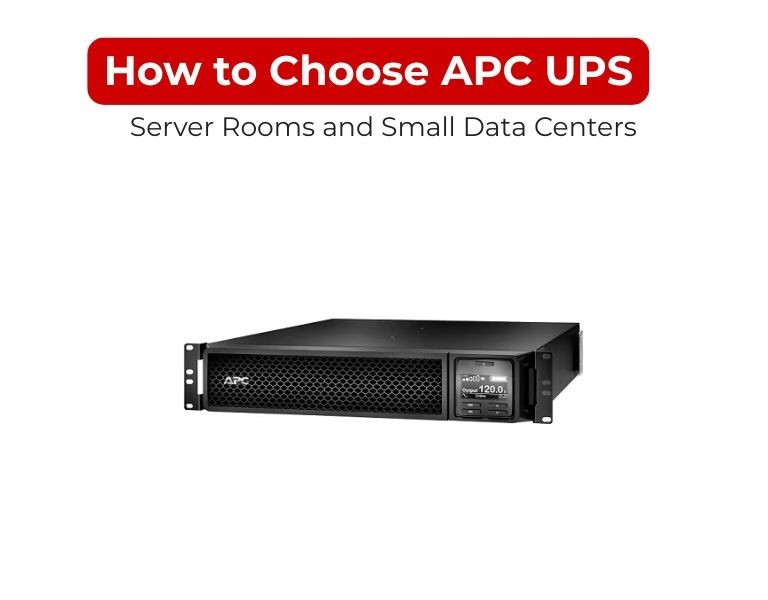
How to Choose APC UPS for Server Rooms and Small Data Centers

Introduction

Choose an APC UPS by calculating your real load, adding 20–30% headroom, and matching it to the right topology and runtime.

For server rooms, Smart-UPS (or online models) are the baseline, not entry-level units. The decision is less about brand and more about power quality, runtime control, and scalability.

Use Case / Deployment Fit

Small server room (single rack / edge site)

  • 1–5 servers + switch + firewall
  • Typical requirement: 1–3 kVA
  • Recommended: Line-interactive Smart-UPS

Growing server room (multi-rack)

  • Virtualization, storage arrays
  • Requirement: 3–10 kVA
  • Recommended: Smart-UPS with external battery or entry-level online UPS

Small data center / critical workloads

  • Multiple racks, SAN, hyperconverged
  • Requirement: 5 kVA+ (often 3-phase beyond this)
  • Recommended: Online (double-conversion) UPS

Decision logic:

  • Single rack → Line-interactive Smart-UPS
  • Multi-rack / critical → Online UPS (SRT series or equivalent)

Technical Breakdown

1. Load Calculation (Non-negotiable)

Start with actual power draw—not PSU ratings.

Typical real-world estimates:

  • 1U server: 300–500W
  • 2U server: 500–900W
  • Storage array: 400–700W
  • Switch: 100–300W

Formula:

  • Total Watts → Convert to VA using power factor (~0.8–0.9)
  • Add 20–30% headroom

Example:

  • Load: 1200W
  • VA: ~1500 VA
  • With margin: ~2000 VA UPS

This margin prevents overload and supports future expansion.

2. Runtime Planning

Define runtime based on operations, not guesswork:

  • 5–10 min → graceful shutdown
  • 10–20 min → generator start
  • 20–30+ min → critical uptime

Battery runtime is nonlinear—lower load increases runtime significantly.

Key mistake:
Buying UPS for capacity but ignoring runtime requirements.

3. Topology Selection

Line-interactive (Smart-UPS SMT/SMC)

  • Handles voltage fluctuations
  • Transfer time ~2–4 ms
  • Suitable for most server rooms

Online double-conversion (Smart-UPS SRT)

  • Zero transfer time
  • Continuous power conditioning
  • Required for sensitive or high-availability workloads

Decision logic:

  • Stable grid → Line-interactive
  • Unstable power / critical systems → Online

4. Power Quality (Critical for Servers)

Servers require pure sine wave output to avoid PSU stress and instability.

Entry-level UPS systems (e.g., desktop-grade) are not suitable for:

  • Active PFC power supplies
  • Storage arrays
  • Virtualization hosts

This is why Smart-UPS is the standard recommendation for server environments.

5. Form Factor & Deployment

  • Rackmount UPS → standard for server racks (19")
  • Tower UPS → small IT closets or edge deployments

Also consider:

  • Depth compatibility with racks
  • Weight (especially >3kVA units)
  • Cable management and PDU integration

6. Monitoring & Management

Minimum requirement for server environments:

  • Network management (SNMP / web interface)
  • Graceful shutdown integration
  • Alerting (email/SNMP traps)

Without this, UPS becomes a passive device—not infrastructure.

Comparison Table

RequirementRecommended APC UPS TypeWhy
≤800W small rack1000–1500VA Smart-UPSEnough capacity + clean power
800–1500W rack1500–2200VA Smart-UPSHeadroom + runtime flexibility
1500–3000W rack2200–5000VA Smart-UPS / SRTScalable + battery expansion
3kW+ multi-rack5kVA+ Online UPSZero transfer + stability
Unstable gridOnline UPS (SRT)Continuous voltage conditioning
Basic office loadEasy UPS / Back-UPSNot for servers

Limitations & Trade-offs

Oversizing UPS

  • Higher cost
  • Lower efficiency at very low loads

Undersizing UPS

  • Overload shutdowns
  • Reduced battery life
  • No runtime buffer

Line-interactive limitations

  • Small transfer delay
  • Limited conditioning vs online

Online UPS limitations

  • Higher cost
  • More heat and power consumption

Procurement Insight

  • Always size for future load (12–36 months), not current usage
  • Treat UPS as infrastructure, not accessory
  • Budget impact of downtime usually exceeds UPS cost

A common failure pattern:

  • Correct VA sizing
  • Wrong topology → leads to instability

Enterprise IT buyers in the US often source these systems from established distributors like DC Supplies for consistent availability and rack-compatible configurations.

Real-world Scenarios

Scenario 1: 1 rack (2 servers + switch)

  • Load: ~1000–1200W
  • Solution: 2kVA Smart-UPS
  • Runtime: 10–15 minutes

Scenario 2: Virtualized cluster (4–6 servers + SAN)

  • Load: ~2500–4000W
  • Solution: 5kVA Smart-UPS SRT
  • Add external battery for 20+ min runtime

Scenario 3: Edge site (no IT staff, unstable power)

  • Online UPS with remote monitoring
  • Automated shutdown required

Final Recommendation

Choose an APC UPS based on three factors only:

  • Load (Watts/VA)
  • Runtime requirement
  • Power quality needed

Use Smart-UPS for nearly all server rooms.
Move to online (SRT) when uptime risk or power instability increases.

Avoid entry-level UPS systems entirely for server workloads—they fail under real conditions, not lab specs.


Comments (0)

No comment

Add a comment

You need to Login to add comments.

Close












