Close

Latest Posts

How to Choose APC UPS Runtime Based on Business Load
A practical guide to selecting APC UPS runtime based on actual business load, outage tolerance, and operational...
on Apr 24, 2026 | by Justin
How to Choose APC UPS Capacity (VA vs Watt Guide for Buyers)
A buyer-focused guide to correctly sizing APC UPS capacity using VA vs Watt, with real-world load calculation and...
on Apr 24, 2026 | by Justin
How to Choose APC UPS for Network Closets and Edge Deployments
A practical guide to selecting APC UPS systems for network closets and edge sites, focused on load sizing, runtime,...
on Apr 24, 2026 | by Justin

How to Choose APC UPS for Network Closets and Edge Deployments

Posted on: Apr 24, 2026 | Author: Justin | Categories: APC, UPS

A practical guide to selecting APC UPS systems for network closets and edge sites, focused on load sizing, runtime, and reliability in constrained environments.
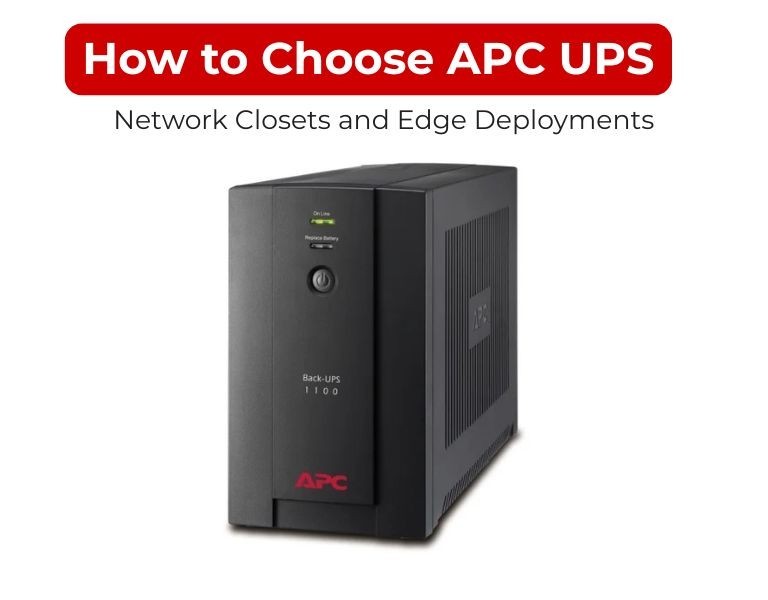
How to Choose APC UPS for Network Closets and Edge Deployments

Introduction

Choose an APC UPS for network closets by sizing real network load, adding headroom, and prioritizing compact, managed units with stable output.

For edge deployments, the priority is not just backup—it’s autonomy, remote visibility, and consistent power under unstable conditions. Entry-level UPS units are rarely sufficient in these environments.

Use Case / Deployment Fit

Network Closets (IDF/MDF environments)

  • Access switches, routers, patch panels
  • Limited space, often no cooling optimization
  • Requirement: compact rack/tower UPS (750–2200 VA)

Edge Deployments (branch / remote sites)

  • Firewall, SD-WAN, small servers, IoT gateways
  • No on-site IT staff
  • Requirement: managed UPS with remote monitoring

Decision logic:

  • Closet with only switches → 1–2 kVA Smart-UPS
  • Edge site with critical connectivity → 2–3 kVA Smart-UPS with network management

Technical Breakdown

1. Load Calculation

Use actual power draw, not nameplate ratings.

Typical estimates:

  • Access switch: 50–150W (without PoE)
  • PoE switch: 150–600W (depending on load)
  • Router/firewall: 30–150W

Example:

  • 1 PoE switch (300W) + router (80W) = ~380W
  • Add 30% headroom → ~500W
  • Recommended UPS: 1000–1500 VA

Headroom is critical to avoid overload and allow future port expansion.

2. Runtime Planning

Closets and edge sites need runtime for continuity, not just shutdown.

  • 5–10 min → basic protection
  • 10–20 min → maintains network during short outages
  • 20+ min → required for remote/unstaffed sites

Key insight:
Network downtime = total service outage. Runtime matters more than in user desktop environments.

3. Form Factor Constraints

Network closets are space-limited.

  • Rackmount (1U/2U): preferred for structured racks
  • Tower: used in wall-mounted or micro racks

Check:

  • Rack depth compatibility
  • Airflow (UPS adds heat)
  • Weight handling for wall racks

4. Power Quality Requirements

Even network gear benefits from stable power:

  • Prevents switch reboots
  • Avoids PoE instability
  • Protects firewall uptime

Smart-UPS provides pure sine wave output, which ensures stable operation for modern power supplies.

Avoid entry-level UPS units for PoE-heavy environments—they struggle under fluctuating loads.

5. Management & Remote Visibility

Critical for edge deployments:

Minimum requirements:

  • Network management card or cloud monitoring
  • Remote reboot capability
  • Alerting (email/SNMP)

Without this, troubleshooting requires physical access—often impractical.

6. Scalability & Battery Options

  • Entry Smart-UPS: fixed runtime
  • Advanced models: external battery packs

Use case:

  • Edge telecom closet → extended runtime for WAN continuity
  • Retail branch → enough runtime to bridge outages

Comparison Table

RequirementRecommended UPSWhy
Small closet (≤300W)750–1000VA Smart-UPSCompact + sufficient backup
PoE switch closet1000–1500VA Smart-UPSHandles load spikes
Multi-device closet1500–2200VA Smart-UPSHeadroom + stability
Remote edge site1500–3000VA Smart-UPSRemote monitoring + runtime
Unstable power locationOnline UPS (SRT)Continuous conditioning
Basic/non-criticalEasy UPSOnly if downtime acceptable

Limitations & Trade-offs

Smart-UPS in closets

  • Higher cost than basic UPS
  • Requires rack space planning

Easy UPS in edge deployments

  • No remote visibility
  • Limited runtime control
  • Not suitable for PoE-heavy loads

Oversizing

  • Inefficient at low load
  • Higher upfront cost

Undersizing

  • Frequent overload
  • Reduced battery life
  • Unexpected shutdowns

Procurement Insight

  • Most network closets are undersized, not overbuilt
  • PoE growth is often ignored during initial sizing
  • Remote sites should never rely on unmanaged UPS

A common issue in edge deployments:

  • Correct capacity
  • No monitoring → operational blind spot

Enterprise IT buyers in the US often source these systems from established distributors like DC Supplies for consistent availability and rack-ready configurations.

Real-world Scenarios

Scenario 1: IDF closet with PoE switch

  • Load: ~400–600W
  • Solution: 1500VA Smart-UPS
  • Runtime: ~10–15 minutes

Scenario 2: Retail branch edge network

  • Devices: firewall + switch + modem
  • Solution: 1500–2200VA Smart-UPS with monitoring
  • Goal: maintain connectivity during outages

Scenario 3: Remote telecom cabinet

  • Harsh power conditions
  • Solution: Online UPS with extended battery
  • Requirement: zero interruption + long runtime

Final Recommendation

For network closets and edge deployments:

  • Use Smart-UPS as the baseline
  • Size based on real PoE load + growth margin
  • Prioritize runtime and remote management over cost

Avoid basic UPS systems in any environment where connectivity matters.
In edge infrastructure, power stability directly impacts uptime—not just hardware safety.


Comments (0)

No comment

Add a comment

You need to Login to add comments.

Close












