HPE Aruba CX 8100 Review: High-Performance Data Center Switching
High-performance switch review for data center and aggregation
Introduction
If you're evaluating the HPE Aruba CX 8100, the real question is: can it deliver data center-grade performance without the cost and complexity of high-end spine switches?
Short answer — yes, for Top-of-Rack (ToR), aggregation, and mid-scale data center deployments.
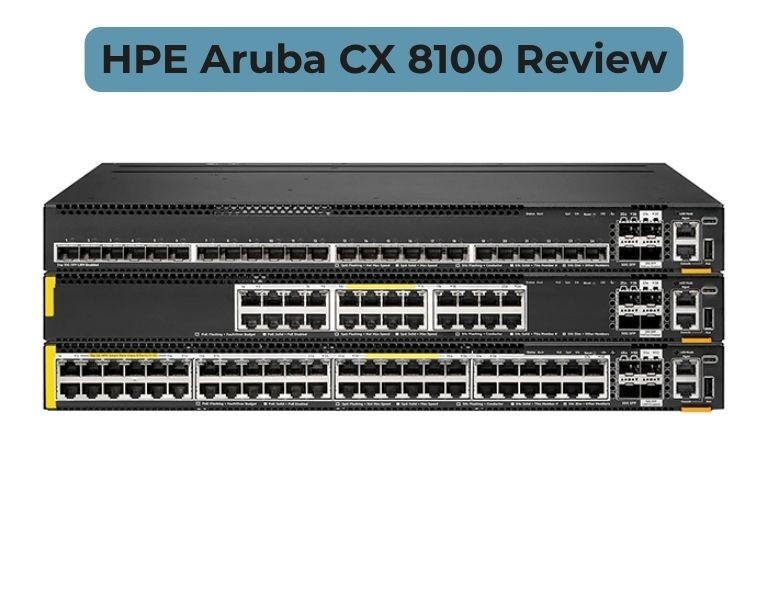
The CX 8100 is a fixed 1U high-performance switch designed for modern data center and campus aggregation layers. It offers strong throughput, flexible 10/25/40/100G connectivity, and enterprise-grade Layer 3 features — but it is not built for hyperscale spine roles.
Quick Answer
Is HPE Aruba CX 8100 good for data center switching?
Yes. The Aruba CX 8100 is a strong ToR and aggregation switch for enterprise data centers.
It is not ideal for hyperscale spine architectures or ultra-low latency trading environments.
Technical Breakdown
Performance
The CX 8100 delivers solid high-speed performance in a compact form factor:
- Up to 1.76 Tbps switching capacity
- Up to 1309 Mpps forwarding rate
- Non-blocking architecture with high throughput
In real deployments:
- Handles east-west traffic for server racks
- Suitable for virtualization, storage, and application workloads
- Stable under mixed traffic loads
Data Center Deployment Role
The CX 8100 is positioned as:
- Top-of-Rack (ToR) switch
- End-of-Row (EoR) switch
- Campus aggregation switch
Best fit:
- Enterprise data centers
- Private cloud environments
- Hybrid campus + DC networks
Not designed for:
- Spine layer in large-scale leaf-spine fabrics
- Hyperscale cloud environments
Connectivity & Port Flexibility
One of the biggest strengths:
- 1G / 10G / 25G access ports
- 40G / 100G uplinks
- Breakout capability (4×10G / 4×25G from 100G)
This allows:
- Flexible server connectivity
- Smooth migration from 10G to 25G/100G
- Cost-efficient upgrades
Layer 3 & Data Center Features
Unlike access switches, CX 8100 includes full enterprise routing:
- BGP, OSPF, VRF support
- VXLAN with EVPN for overlays
- ECMP for traffic balancing
- Data Center Bridging (DCB) for lossless Ethernet
Supports:
- Virtualized workloads
- Storage traffic (iSCSI, RoCE, NVMe-oF)
High Availability & Redundancy
Designed for production environments:
- VSX (active-active redundancy)
- Redundant power supplies and fans
- Hot-swappable components
Result:
- Minimal downtime
- Non-disruptive upgrades
Automation & Management
Runs on AOS-CX:
- Network Analytics Engine (NAE)
- REST APIs + Python automation
- Real-time telemetry and monitoring
Compared to legacy switching:
- Better visibility
- Faster troubleshooting
- Reduced manual configuration
Security & Risk Consideration
- Strong ACLs and segmentation support
- 802.1X and policy-based control
Important note:
Recent vulnerabilities in AOS-CX highlight the need for regular patching and firmware updates to maintain security posture.
Limitations (Real-World)
- Not designed for hyperscale spine roles
- Fixed form factor (less flexible than chassis systems)
- Smaller ecosystem vs Cisco/NVIDIA DC switching
- Some advanced features vary by model
From community feedback:
“Pick what fills the need… consider long-term cost.”
Meaning:
- Strong for enterprise
- But not always best for specialized workloads
Comparison Table
| Feature | Aruba CX 8100 | Cisco Nexus 9300 |
|---|
| Performance | High (1.76 Tbps) | Very High |
| Reliability | Enterprise-grade | Industry-proven |
| Management | API + Cloud + CLI | CLI + ACI |
| Scalability | Fixed (1U) | Fixed / Fabric |
| Power / Efficiency | Efficient | Moderate |
| Warranty | Limited lifetime | Varies |
| Price Range | Mid–High | Premium |
| Best Use Case | ToR / Aggregation | Spine / ToR |
| Business Size | Enterprise | Enterprise |
Pros and Cons
Pros
- Strong 10G/25G/100G performance
- Flexible port configurations
- Modern OS with automation and analytics
- Good value vs high-end DC switches
Cons
- Not suitable for hyperscale spine
- Fixed architecture (no chassis scaling)
- Smaller ecosystem vs Cisco/NVIDIA
- Requires proper firmware management
Cisco Nexus 9300 (Comparison)
Pros
- Deep data center ecosystem
- ACI integration
- Proven in large-scale deployments
Cons
- Expensive
- Complex licensing
- Higher operational overhead
Procurement Insight
When to Buy CX 8100
- Building enterprise data center ToR layer
- Need 10G to 100G migration path
- Running virtualization or storage workloads
- Want automation without Cisco-level cost
When NOT to Buy
- Hyperscale data center architecture
- Ultra-low latency financial trading networks
- Need full spine-leaf fabric at large scale
Budget vs Performance
CX 8100 delivers strong value:
- Lower cost than Cisco Nexus
- High performance for most enterprise workloads
- Good balance between cost and capability
Long-Term Cost (TCO)
- Lower licensing overhead
- Efficient power usage
- Reduced operational cost via automation
Hidden factor:
- Fixed hardware may require full replacement vs modular upgrades
Real-World Use Cases
1. Enterprise Data Center (Mid-Scale)
- ToR switching for virtualization clusters
Outcome: High throughput and stability
2. Hybrid Campus + Data Center
- Aggregation between campus and DC
Outcome: Simplified architecture
3. Storage Network Deployment
- iSCSI / NVMe traffic handling
Outcome: Reliable lossless Ethernet performance
Final Recommendation
Choose Aruba CX 8100 if:
- You need a high-performance ToR or aggregation switch
- You are building an enterprise data center
- You want modern automation without high licensing cost
Avoid Aruba CX 8100 if:
- You need hyperscale spine architecture
- You require ultra-high scalability beyond fixed switches
- Your environment is deeply tied to Cisco ACI or NVIDIA fabrics

















Comments (0)
No comment