HPE Aruba CX 6300 Switch Review: Best Core Switch for Modern Networks?
Real-world review of Aruba CX 6300 for core deployments
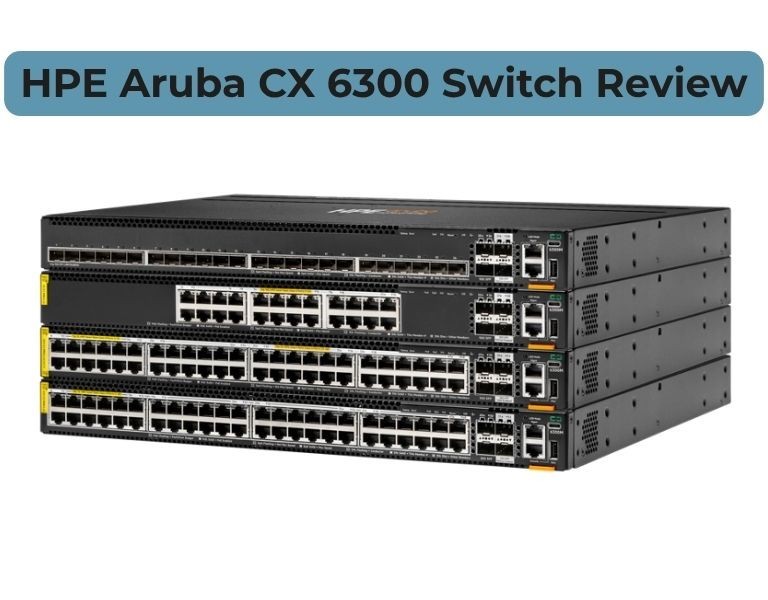
Introduction
If you're considering the HPE Aruba CX 6300 as a core or aggregation switch, the real question is: can it handle enterprise traffic reliably without the cost and complexity of Cisco?
Short answer — yes, but only for mid-size enterprise cores and campus networks.
The CX 6300 is a high-performance stackable Layer 3 switch with strong automation, modern OS design, and flexible uplinks. It works well as a collapsed core or aggregation layer, but it is not a full replacement for high-end chassis cores in large data centers.
Quick Answer (Featured Snippet Target)
Is HPE Aruba CX 6300 the best core switch?
The Aruba CX 6300 is a strong core switch for campus and mid-size enterprise networks.
For large-scale data center cores or ultra-high throughput environments, higher-end modular switches are still a better choice.
Technical Breakdown
Performance
The CX 6300 runs on a Gen7 ASIC architecture delivering high throughput and low latency.
- Up to 880 Gbps to 1760 Gbps switching capacity
- Up to 1310 Mpps forwarding rate
- Wire-speed Layer 2 and Layer 3 performance
In real deployments, it handles:
- High-density user traffic
- VoIP and video workloads
- Multi-VLAN routing without bottlenecks
Core Capability
This is where most buyers get confused.
The CX 6300 can act as:
- Collapsed core (SMB / mid enterprise)
- Aggregation layer (large enterprise)
- Top-of-Rack (ToR) in data centers
But it is NOT designed for:
- Massive multi-core data center fabrics
- Ultra-high east-west traffic environments
Stacking & Scalability
- VSF stacking up to 10 switches
- Up to 400 Gbps stacking bandwidth
- Acts as a single logical switch
This simplifies scaling without chassis investment.
Software & Automation
Runs on AOS-CX:
- Built-in Network Analytics Engine (NAE)
- REST APIs + Python automation
- Time-series database for troubleshooting
This is one of the strongest points vs traditional CLI-only systems.
Security & Segmentation
- Dynamic Segmentation (policy-based access)
- MACsec encryption
- Role-based network control
Works well in enterprise environments with IoT and BYOD.
Limitations
- Not a chassis-based core replacement
- Limited ecosystem compared to Cisco
- Requires firmware discipline (recent vulnerabilities highlight patching importance)
Comparison Table
| Feature | Aruba CX 6300 | Cisco Catalyst 9500 |
|---|
| Performance | High | Very High |
| Reliability | Strong | Industry-proven |
| Management | Cloud + API | CLI + DNA Center |
| Scalability | Stack-based | Modular scaling |
| Power / Efficiency | Efficient | Moderate |
| Warranty | Limited lifetime | Varies |
| Price Range | Mid-range | Premium |
| Best Use Case | Campus core / aggregation | Enterprise core |
| Business Size | SMB to Enterprise | Enterprise-heavy |
Pros and Cons
Pros
- Strong price-to-performance ratio
- Modern OS with automation and analytics
- Flexible uplinks (1G to 50G)
- High PoE support (up to 90W per port)
Cons
- Not suitable for very large data center cores
- Smaller ecosystem vs Cisco
- Requires proper firmware management
Cisco Catalyst 9500 (Comparison)
Pros
- True enterprise core capability
- Deep feature set
- Mature ecosystem
Cons
- Expensive
- Licensing complexity
- Higher operational overhead
Procurement Insight (B2B-Focused)
When to Buy CX 6300
- Building a campus core for 100–1000 users
- Replacing legacy core switches with stackable architecture
- Need automation without heavy licensing costs
- SMB or mid-sized enterprise scaling
When NOT to Buy
- Large data center spine-leaf architecture
- Ultra-low latency financial environments
- Networks requiring chassis redundancy
Budget vs Performance
CX 6300 sits in a strong position:
- Lower cost than Cisco core switches
- Enough performance for 80% of enterprise use cases
Long-Term Cost (TCO)
- No heavy licensing overhead
- Lower power consumption
- Reduced operational complexity
Real-World Use Cases
1. 200–500 User Enterprise Office
- Collapsed core + access aggregation
Outcome: Stable performance without chassis cost
2. Retail or Multi-Site Business
- Core at HQ + branch aggregation
Outcome: Easy scaling with stacking
3. Campus Network (University / Corporate)
- Aggregation + core layer
Outcome: High-density user support with segmentation
Final Recommendation (No BS)
Choose Aruba CX 6300 if:
- You need a cost-effective core for campus or mid-size enterprise
- You want automation and simplified management
- You prefer stackable architecture over chassis
Avoid Aruba CX 6300 if:
- You are building a large-scale data center core
- You need extreme scalability and redundancy
- Your environment is heavily Cisco-dependent















Comments (0)
No comment