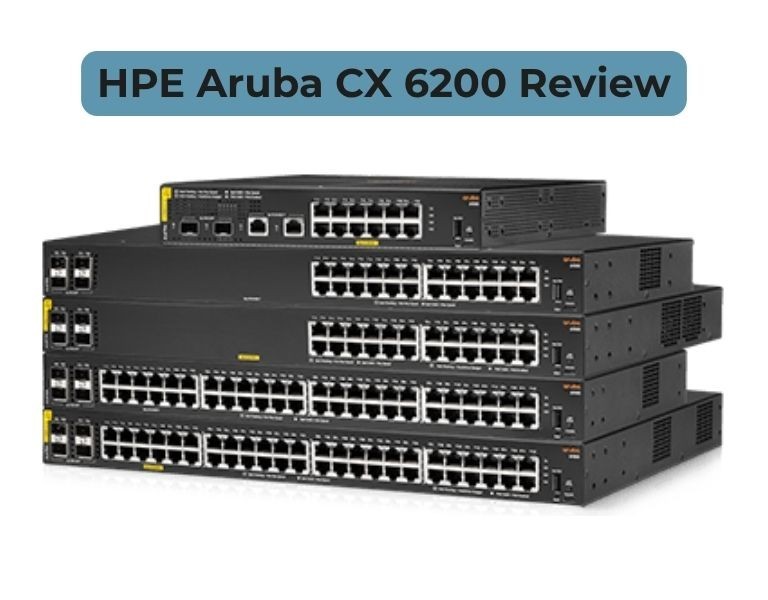
HPE Aruba CX 6200 Review: Ideal Access Switch for Campus Networks?
Access switch review for campus networks and SMB deployments
Introduction
If you're evaluating the HPE Aruba CX 6200 as an access switch, the real question is: can it handle modern campus workloads without overpaying for features you don’t need?
Short answer — yes, it’s one of the most balanced access switches for enterprise and SMB environments.
The CX 6200 is designed specifically for access layer deployments, offering solid Layer 2/Layer 3 capabilities, PoE for wireless and IoT, and simple scaling through stacking. It’s not built for core switching, but it performs reliably where access switches actually matter.
Quick Answer
Is HPE Aruba CX 6200 good for campus access networks?
Yes. The Aruba CX 6200 is a strong access-layer switch for campus and branch deployments.
It delivers reliable performance, PoE support, and simplified management without the cost of high-end enterprise switches.
Technical Breakdown
Performance
The CX 6200 uses a Gen7 ASIC architecture delivering consistent access-layer performance.
- Up to 176 Gbps switching capacity
- Up to ~130 Mpps forwarding rate
- Wire-speed switching for Layer 2 and basic Layer 3
In real-world deployments:
- Handles user traffic, VoIP, and Wi-Fi without bottlenecks
- Stable under high-density edge environments
Access Layer Capability
This is where the CX 6200 fits correctly:
- Enterprise access layer (primary role)
- Branch office switching
- Edge connectivity for campus networks
It supports:
- VLAN segmentation
- Basic routing (static + OSPF)
- QoS for voice/video
Not designed for:
- Core routing
- Heavy east-west data center traffic
PoE & Edge Device Support
- Up to 1440W PoE budget (modular models)
- 30W–60W per port depending on model
This is critical for:
- Wi-Fi 6/6E access points
- IP cameras
- VoIP phones
Stacking & Scalability
- VSF stacking up to 8 switches
- Up to 384 access ports in a single logical stack
- 40 Gbps stacking bandwidth
This makes it practical for:
- Growing campus networks
- Multi-floor deployments
Management & Automation
Runs on AOS-CX:
- Network Analytics Engine (built-in monitoring)
- REST APIs + automation support
- Aruba Central cloud management
Compared to legacy switches:
- Less manual CLI work
- Faster troubleshooting
Security & Segmentation
- Dynamic Segmentation (policy-based access)
- ACLs and role-based policies
- MACsec support (on certain models)
Works well in:
- BYOD environments
- IoT-heavy networks
Limitations (Real-World)
- Limited routing scale vs higher CX models
- DHCP snooping limits lower than older enterprise switches (not ideal for large aggregation roles)
- Not suitable beyond access layer
Comparison Table
| Feature | Aruba CX 6200 | Cisco Catalyst 9200 |
|---|
| Performance | High (access layer) | High |
| Reliability | Strong | Industry-proven |
| Management | Cloud + API | CLI + DNA Center |
| Scalability | Stack (8 units) | StackWise |
| Power / Efficiency | Efficient | Moderate |
| Warranty | Limited lifetime | Varies |
| Price Range | Mid-range | Higher |
| Best Use Case | Access layer | Access layer |
| Business Size | SMB to Enterprise | Enterprise |
Pros and Cons
Pros
- Strong price-to-performance for access layer
- High PoE budget for modern devices
- Clean OS with automation support
- Easy scaling with stacking
Cons
- Limited Layer 3 capability
- Not suitable for aggregation/core
- Some feature limits compared to older Aruba/ProCurve lines
Cisco Catalyst 9200 (Comparison)
Pros
- Mature ecosystem
- Strong enterprise support
- Familiar CLI
Cons
- Higher cost
- Licensing complexity
- More operational overhead
Procurement Insight
When to Buy CX 6200
- Deploying access layer in campus networks
- Refreshing legacy switches (2930F, 2540, etc.)
- Need PoE for Wi-Fi and IoT
- SMB or enterprise edge scaling
When NOT to Buy
- You need aggregation or core switching
- Large routing tables required
- High-performance data center edge
Budget vs Performance
CX 6200 hits the sweet spot:
- Lower cost than Cisco access switches
- Enough performance for 90% of edge deployments
Long-Term Cost (TCO)
- Lower licensing overhead
- Reduced management cost via Aruba Central
- Efficient power consumption
Real-World Use Cases
1. 50–200 User Office (SMB)
- Access layer with PoE devices
Outcome: Stable and cost-efficient
2. Campus Network (University / Corporate)
- Floor-level access switching
Outcome: Scalable via stacking
3. Retail / Multi-Branch Deployment
- Standardized edge switching
Outcome: Simplified deployment and management
Final Recommendation
Choose Aruba CX 6200 if:
- You need a reliable access switch for campus or SMB
- You want strong PoE and simple management
- You are replacing legacy Aruba or entry Cisco switches
Avoid Aruba CX 6200 if:
- You need core or aggregation capabilities
- Your network requires advanced routing scale
- You are building a data center fabric















Comments (0)
No comment