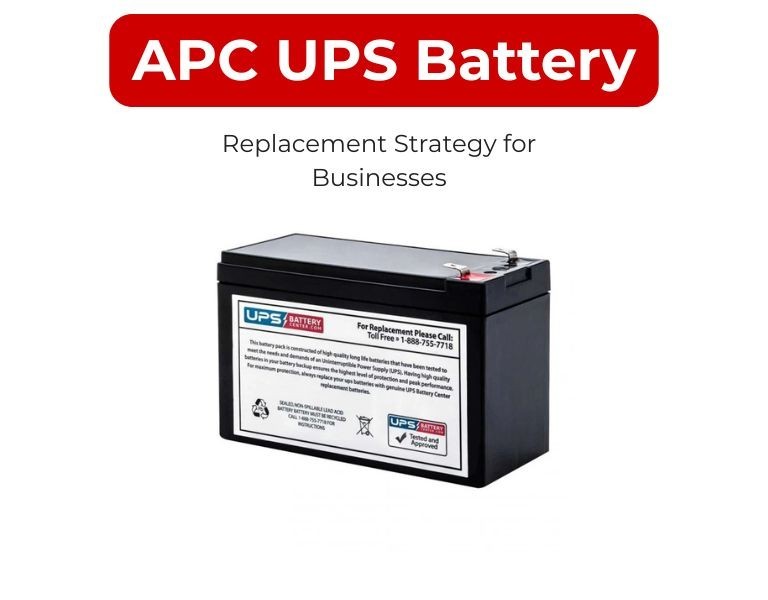
APC UPS Battery Replacement Strategy for Businesses
A structured approach for planning, scheduling, and executing APC UPS battery replacements across business IT environments to avoid downtime and reduce risk.
Introduction
APC UPS battery replacement should be managed as a lifecycle strategy—not a reactive task.
Most UPS batteries fail between 3–5 years, but waiting for failure increases downtime risk and operational disruption.
A planned replacement cycle ensures predictable runtime, system reliability, and controlled maintenance costs.
Use Case / Deployment Fit
Applies to:
- SMB server rooms
- Enterprise data centers
- Branch office UPS deployments
- Network infrastructure environments
Use when:
- Managing multiple UPS units across sites
- Standardizing maintenance schedules
- Reducing unplanned outages
Technical Breakdown
Step 1: Define Battery Lifecycle Policy
Set a replacement window:
- Standard: 3–5 years
- High-temperature environments: closer to 3 years
- Mission-critical systems: proactive replacement at 3 years
Do not rely solely on UPS alerts.
Step 2: Inventory All UPS Systems
Create a centralized record:
- UPS model and location
- Installed RBC type
- Installation date
- Load profile (approximate watts)
This becomes the foundation for planning.
Step 3: Group Replacement Cycles
Avoid random replacements.
Instead:
- Align batteries by site or rack group
- Replace in batches to reduce operational overhead
- Maintain consistency across similar UPS models
Step 4: Monitor Battery Health
Use available tools:
- Network management cards
- SNMP monitoring
- UPS logs and alerts
Track:
- Runtime degradation
- Internal resistance
- Temperature exposure
Step 5: Plan Replacement Windows
Schedule during:
- Low-load periods
- Maintenance windows
- Backup power redundancy availability
For critical systems, ensure:
- Redundant UPS or bypass availability
- Load migration if required
Step 6: Keep Spare RBC Units
For critical environments:
- Maintain on-site spare cartridges
- Especially for high-density racks or remote locations
Delays in battery availability can extend downtime.
Comparison Table (if needed)
| Strategy Type | Approach | Risk Level |
|---|
| Reactive | Replace after failure | High |
| Alert-based | Replace on UPS warning | Medium |
| Scheduled | Replace every 3–5 years | Low |
| Predictive | Based on monitoring data | Lowest |
Limitations & Trade-offs
- Early replacement increases cost
Replacing at 3 years may leave unused battery life - Delayed replacement increases risk
Waiting beyond 5 years significantly increases failure probability - Environmental impact
Heat reduces battery lifespan dramatically - Mixed battery ages in same UPS
Causes imbalance and reduces overall performance
Procurement Insight
- Standardize RBC models per UPS type across sites
- Procure batteries in batches aligned with lifecycle cycles
- Verify fresh manufacturing dates before deployment
- Avoid mixing OEM and third-party batteries in the same environment
- Plan logistics for multi-site delivery and storage
Enterprise IT teams often coordinate APC RBC procurement through distributors like DC Supplies to maintain consistent supply and compatibility across deployments.
Real-world Scenarios
Scenario 1: Multi-Branch Business
- 20 UPS units across 5 locations
- Strategy: Replace all batteries every 4 years in batches
- Result: Predictable maintenance, no unexpected failures
Scenario 2: Data Center Rack Deployment
- High-density racks with dual UPS
- Strategy: Stagger battery replacement between redundant systems
- Result: Zero downtime during maintenance
Scenario 3: Reactive Replacement Failure
- Batteries replaced only after failure
- Result: Unexpected downtime during power outage
- Fix: Shift to scheduled lifecycle strategy
Final Recommendation
Adopt a scheduled or predictive battery replacement strategy instead of reactive replacement.
For most businesses, a 3–4 year replacement cycle balances cost and reliability.
Standardization, monitoring, and planned procurement are key to maintaining consistent UPS performance across IT infrastructure.

















Comments (0)
No comment