How to Identify the Right RBC Battery for Your UPS Model
A practical method to accurately identify the correct APC Replacement Battery Cartridge (RBC) using UPS model data, compatibility mapping, and physical validation.
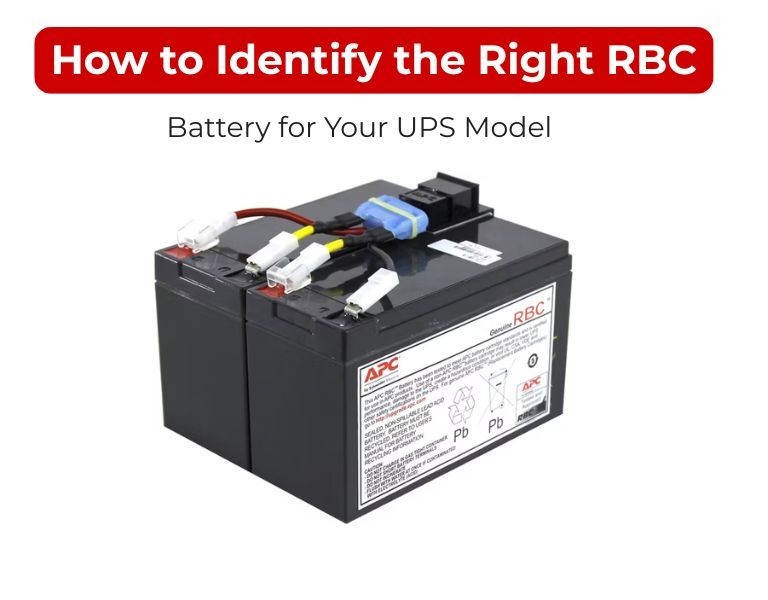
Introduction
The correct RBC battery is identified by matching your exact UPS model to its designated APC RBC part number.
Voltage, size, or battery type alone cannot determine compatibility.
Incorrect identification leads to install issues, UPS errors, or reduced runtime.
Use Case / Deployment Fit
Relevant for:
- Battery replacement in Smart-UPS and Back-UPS
- Rack and tower UPS environments
- IT teams managing multi-site UPS fleets
Use when:
- UPS shows battery replacement alert
- Replacing aging batteries (3–5 years)
- Verifying compatibility before procurement
Technical Breakdown
Step 1: Locate Exact UPS Model Number
Check:
- Rear label (e.g., SMT1500I, SUA2200RMXLI)
- LCD interface or network management card
- Asset inventory records
Accuracy at this step is critical.
Step 2: Use APC RBC Compatibility Mapping
Each UPS model maps to a specific RBC cartridge.
Examples:
- SMT1500I → RBC7
- SUA2200RMXLI → RBC43
- SMT3000I → RBC55
Always confirm through official APC documentation or compatibility charts.
Step 3: Cross-Verify with Existing Battery (If Accessible)
If the UPS has not been modified:
- Open battery compartment
- Check label on installed cartridge
- Confirm RBC number matches documentation
Do not rely on this method if previous replacement history is unknown.
Step 4: Validate Electrical Configuration
Ensure the identified RBC matches:
- Required voltage (e.g., 24V, 48V, 72V)
- Internal battery arrangement
- Connector type
Mismatch here can cause UPS faults.
Step 5: Confirm Physical Compatibility
Especially for rack-mounted systems:
- Tray size and fit
- Cable length and orientation
- Slide-in mechanism compatibility
Physical mismatch can delay installation even with correct specs.
Step 6: Avoid Generic Substitutes
Loose or generic batteries:
- Lack correct wiring harness
- May not fit enclosure
- Can trigger UPS errors
Use complete RBC cartridges for production environments.
Comparison Table (if needed)
| Method | Accuracy | Risk |
|---|
| Model-based identification | High | Low |
| Existing battery check | Medium | Medium |
| Spec-based guess (voltage/size) | Low | High |
Limitations & Trade-offs
- Older UPS models
Some legacy units may have discontinued RBC references - Previous incorrect replacements
Installed battery may not match original specification - Third-party cross-references
May not guarantee fit or lifecycle performance - Documentation gaps
Missing asset records increase identification effort
Procurement Insight
- Always procure using UPS model → RBC mapping
- Verify fresh manufacturing date
- Standardize RBC types across similar UPS models
- Maintain internal compatibility documentation
- Avoid mixing different battery types within same environment
For multi-site IT environments, teams often align RBC identification and sourcing through distributors like DC Supplies to maintain consistency and reduce compatibility errors.
Real-world Scenarios
Scenario 1: Correct Identification via Model
- UPS: SMT1500I
- Identified RBC: RBC7
- Result: Quick installation, expected runtime restored
Scenario 2: Incorrect Spec-Based Selection
- Selected battery based on voltage only
- Result: Fitment issue + UPS alarm
- Fix: Replaced with correct RBC
Scenario 3: Legacy UPS Without Records
- No documentation available
- Action: Identified via model label and APC chart
- Result: Accurate replacement without trial-and-error
Final Recommendation
Always identify the correct RBC battery using the exact UPS model number.
Avoid guessing based on battery size or voltage.
Accurate identification ensures compatibility, proper runtime, and reliable UPS operation.

















Comments (0)
No comment