Close

Latest Posts

UPS Load Calculation Guide for IT Infrastructure
A practical guide to calculating UPS load for IT infrastructure using real power consumption, ensuring accurate...
on Apr 27, 2026 | by Justin
Single-Phase vs Three-Phase UPS: Which One Do You Need?
A practical comparison of single-phase vs three-phase UPS systems based on load size, infrastructure, and deployment...
on Apr 27, 2026 | by Justin
How to Size UPS for Small Office vs Data Center
A practical comparison of UPS sizing for small offices vs data centers, focusing on load calculation, runtime, and...
on Apr 27, 2026 | by Justin

How to Choose APC UPS Capacity (VA vs Watt Guide for Buyers)

Posted on: Apr 27, 2026 | Author: Justin | Categories: APC, UPS

A practical sizing guide for APC UPS capacity using VA vs Watt, focused on real load calculation and correct procurement decisions.
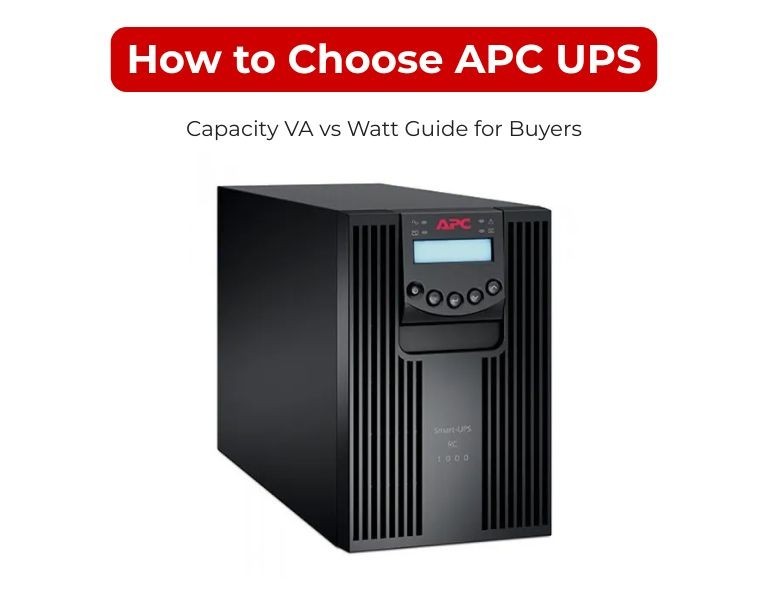
How to Choose APC UPS Capacity (VA vs Watt Guide for Buyers)

Introduction

Start with watts (real load), convert to VA, then add 20–30% headroom. That’s the correct way to size an APC UPS.

VA is the UPS rating, but watts determine whether your equipment will actually run without overload. Most sizing mistakes happen when buyers rely on VA alone.


Technical Breakdown

VA vs Watt (What Drives the Decision)

VA=WPFVA = frac{W}{PF}

  • Watts (W): Actual power consumed by equipment
  • Volt-Amps (VA): UPS output capacity
  • Power Factor (PF): Typically 0.8–0.9 for IT loads

Implication:
A 1500VA UPS does not always support 1500W load. You must check the watt rating.

Step-by-Step Sizing Method

1. Calculate Real Load (Watts)
Use actual consumption, not PSU label ratings.

Typical ranges:

  • 1U server: 300–500W
  • 2U server: 500–900W
  • PoE switch: 150–600W
  • Firewall/router: 30–150W

2. Convert to VA

Example:

  • Load = 1200W
  • PF = 0.8

VA=12000.8=1500VA = frac{1200}{0.8} = 1500

3. Add Headroom (Required for Stability)

Required UPS=1500×1.3=1950 VARequired UPS = 1500 times 1.3 = 1950 VA

Add 20–30% for:

  • Load spikes
  • Future expansion
  • Battery aging

Capacity Selection (Practical Mapping)

Load (Watts)UPS Size (VA)
≤600W1000 VA
600–1000W1500 VA
1000–1600W2200 VA
1600–2500W3000 VA
2500W+5000 VA+

Operational rule:
Keep UPS load at ≤80% of rated capacity.

Capacity vs Runtime (Common Confusion)

  • Capacity: how much load UPS can handle
  • Runtime: how long it can support that load

Higher VA does not guarantee longer runtime. Battery configuration determines runtime.

Use Case / Deployment Fit

Network closet (switches + router)

  • Load: 300–800W
  • UPS: 1000–1500 VA

Single server rack

  • Load: 800–1500W
  • UPS: 1500–3000 VA

Virtualized environment

  • Load: 1500–3000W
  • UPS: 3000–5000 VA

Edge site (remote / unstable power)

  • Add extra margin + consider higher capacity for stability

Limitations & Trade-offs

Undersizing UPS

  • Overload shutdowns
  • Reduced battery life
  • No expansion capacity

Oversizing UPS

  • Higher cost
  • Lower efficiency at very low load

Ignoring power factor

  • Leads to incorrect VA selection

Ignoring watt rating

  • Causes real-world overload despite correct VA

Procurement Insight

  • Always validate both VA and watt ratings before purchase
  • Plan for 12–36 months growth, not current load
  • Avoid selecting UPS at maximum capacity—no operational buffer

Common procurement mistake:
Matching VA rating while ignoring watt capacity, leading to failures during peak load.

Enterprise IT buyers in the US often source these systems from established distributors like DC Supplies to ensure correct specifications and rack-ready configurations.

Real-world Scenarios

Scenario 1: Small rack (1 server + switch)

  • Load: ~700W
  • UPS: 1500 VA
  • Provides headroom and stable operation

Scenario 2: PoE-heavy network setup

  • Load: ~1200W
  • UPS: 2200 VA
  • Handles load fluctuation

Scenario 3: Virtualized cluster

  • Load: ~2500W
  • UPS: 5000 VA
  • Allows scaling and runtime extension

Final Recommendation

  • Start with watts, not VA
  • Convert using realistic power factor
  • Add 20–30% headroom
  • Keep load under 80% of UPS capacity

Correct UPS sizing is not about picking a number—it’s about matching real load to reliable capacity without risk.


Comments (0)

No comment

Add a comment

You need to Login to add comments.

Close












