So your APC UPS just started screaming at you with that annoying beep, and you have no idea what it means. Or maybe...
on Sep 11, 2026|by Justin
APC Smart-UPS vs APC Easy UPS: Which One Should Businesses Buy?
Posted on: Apr 1, 2026|Author: Justin|Categories: APC, UPS
Smart-UPS vs Easy UPS: real differences in reliability and use
Introduction
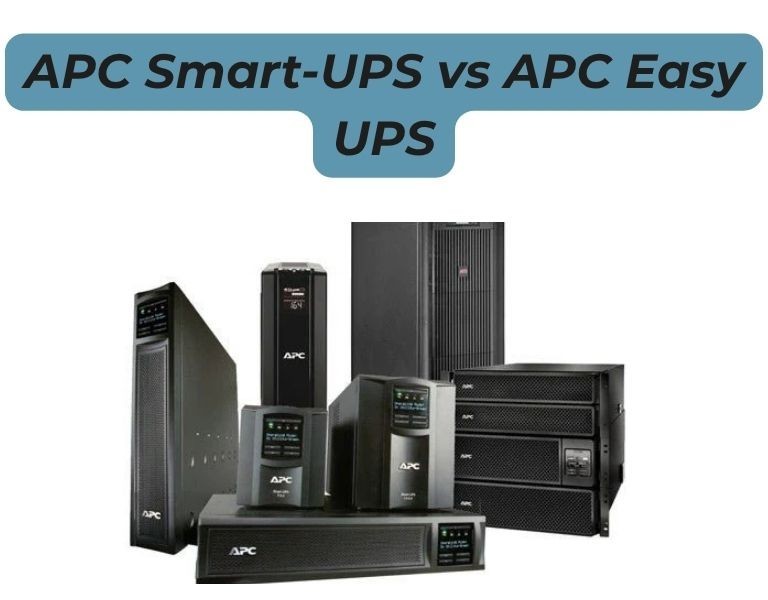
If you're deciding between APC Smart-UPS and Easy UPS for a business environment, this is not a close comparison. Smart-UPS is designed for servers and critical infrastructure, while Easy UPS is built for basic power backup. The difference shows up in power quality, runtime control, and long-term reliability. For most SMB and enterprise deployments, choosing the wrong line leads to downtime risk—not just cost savings.
Which one should you choose?
Choose Smart-UPS for any server or critical workload. Choose Easy UPS only for basic networking or non-critical devices.
Compared Models
1500VA pure sine wave UPS designed for servers and network infrastructure
Entry-level UPS for basic office and networking equipment
Rackmount Smart-UPS for multi-server environments and scalable runtime
Online Easy UPS model for entry-level critical load protection
Product Comparison Table
Attribute
APC Smart-UPS SMT1500C
APC Easy UPS SMV1500
APC Smart-UPS SMT2200RM2U
APC Easy UPS SRV2000
Target Use
Servers / IT
Basic office
Server racks
Entry critical load
Output Waveform
Pure sine wave
Simulated / varies
Pure sine wave
Pure sine (online)
Topology
Line-interactive
Line-interactive
Line-interactive
Online (double conversion)
Runtime Control
Predictable
Limited
Expandable
Expandable
Battery Expansion
Limited / optional
No
Yes
Yes
Management
Advanced (SNMP, shutdown)
Basic
Advanced
Moderate
Reliability
High (enterprise use)
Moderate
High
Moderate–High
Price Range
$$
$
$$$
$$–$$$
Best Use Case
SMB servers
PCs / switches
Multi-server racks
Small critical loads
Technical Breakdown
Smart-UPS (What businesses actually need)
Pure sine wave output—required for modern server PSUs
Designed for servers, storage, and network infrastructure
Predictable runtime and graceful shutdown support (PowerChute)
Advanced monitoring (SmartConnect, SNMP options)
Reality in deployment:
Stable under continuous load
Handles mixed IT environments (servers + switches + firewalls)
Industry standard for SMB and enterprise racks
Easy UPS (Where it actually fits)
Lower-cost entry-level UPS
Often simulated sine wave (varies by model)
Limited runtime and expansion
Basic management
Reality in deployment:
Works fine for desktops, routers, and small offices
If your workload includes servers, virtualization, or storage, Smart-UPS is not optional—it’s required.
Easy UPS is only justified when protecting non-critical devices like routers or small office setups.
The cost difference is minor compared to the risk of downtime or hardware damage.
For growing businesses, Smart-UPS reduces long-term risk and avoids early replacement.
If you're sourcing APC UPS systems in the US, suppliers like DC Supplies typically stock both Smart-UPS and Easy UPS models, which helps standardize deployments across branches.
Real-World Use Cases
Office (25–50 users)
Smart-UPS 1500VA → server + firewall + switches
Easy UPS → backup for non-critical endpoints
Multi-branch business
Smart-UPS at each site
Centralized shutdown and consistent runtime
Server rack / small data room
Smart-UPS 2200–3000VA
Easy UPS not suitable for this scenario
Final Recommendation
Choose Smart-UPS if you are running anything business-critical. Choose Easy UPS only for low-risk environments where downtime is acceptable.
Avoid using Easy UPS for servers—it introduces operational risk that outweighs the cost savings.

















Comments (0)
No comment