No products
To be determined Shipping
$0.00 Total

Blog Categories
Archives
Latest Posts


A practical comparison of HPE rack servers and Netgear ReadyNAS for VMware/Hyper-V virtualization — helping IT teams choose compute vs storage correctly.
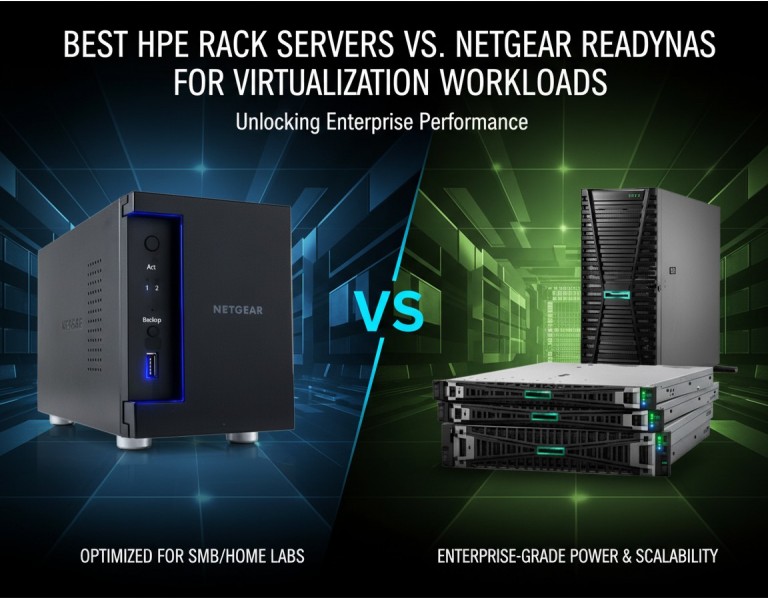
You’re planning virtualization for VMware or Hyper-V and hit the classic crossroads: should you scale out compute with HPE rack servers or invest in Netgear ReadyNAS shared storage to support VMs? It’s more than picking “fast gear.” Server choice affects CPU, memory headroom, expansion and redundancy. Shared storage choice affects IOPS, latency, availability, and backup workflow. This guide cuts through feature lists and tells you what matters for real virtualization workloads — and which choice fits your business needs.
HPE (Hewlett Packard Enterprise) has a long history of delivering rack servers designed for enterprise virtualization. HPE servers emphasize CPU performance, memory capacity, I/O expansion, predictable serviceability, and integration with virtualization stacks.
Netgear ReadyNAS appliances are purpose-built network attached storage systems. They focus on reliable file, block, and snapshot storage with simplified management. ReadyNAS targets SMB storage consolidation and backup workflows rather than heavy compute.
| Aspect | HPE Rack Servers | Netgear ReadyNAS |
|---|---|---|
| Primary Role | Compute & VM hosts | Shared storage target for VMs |
| Processor Capability | High core count Xeon options | Lightweight processor for storage services |
| Memory Capacity | Large — suited to VM density | Limited — supports NAS processes |
| I/O & Expansion | PCIe expansion, SR-IOV options | Limited I/O expansion |
| Storage Role | Direct-attached or SAN/NVMe options | NAS with RAID for shared data |
| Management | Integrated remote and systems management | NAS-centric GUI |
| Backup & Snapshots | Server-side tools required | Built-in snapshot and replication |
| Best Use Case | Running many or heavy VMs | Centralized VM ISO, backup, file shares |
| Business Size Fit | Mid-size to enterprise | Small to mid-size backup/storage |
Pros
Strong CPU and memory capacity tailored for dense virtualization.
Flexible I/O expansion for networking and storage controllers.
Enterprise-grade remote management and monitoring.
Support for hardware-assisted virtualization features.
Scales with clustered hypervisor environments.
Cons
Higher entry cost compared with NAS-only systems.
Requires more planning for shared storage and backup.
Power, rack space, and cooling needs are significant.
Pros
Simple shared storage with snapshot and replication.
Built-in RAID protects against disk failure.
Lower upfront cost relative to full server infrastructure.
Easy management for SMB IT teams.
Good for centralizing VM ISO libraries and backups.
Cons
Not designed to run hypervisors or heavy compute.
Processor and memory not suited for VM workloads.
Limited expansion and no PCIe cards.
Performance constrained compared with SAN/RAID controllers.
If your goal is running virtualization workloads (many VMs, high CPU/memory demand, frequent migrations, heavy local I/O), the correct choice is HPE rack servers. They provide the compute horsepower, memory headroom, high-speed networking, and remote systems control required for enterprise VM hosts.
Use Netgear ReadyNAS as complementary shared storage — storing VM ISO libraries, backups, archives, and non-performance-critical data. NAS appliances are useful to reduce backup complexity and centralize data but not as primary VM hosts.
Use Case 1: 50-User Virtual Desktop Infrastructure (VDI)
A mid-sized office wants to host virtual desktops for designers and analysts. They need high core count CPUs, lots of RAM, and fast network uplinks. HPE rack servers with redundant power and ECC memory make sense here. ReadyNAS can serve as backup and ISO repository but not as the primary VM engine.
Use Case 2: SMB Looking to Centralize Data and Backup
A 25-person company with a few VMs for domain controllers and file servers wants centralized storage and simplified backup. A small HPE server can host VMs, while ReadyNAS provides snapshots and off-host replication of VM images. The balanced combination reduces risk without excessive cost.
Use Case 3: Enterprise Test Lab for Hyper-V
A lab environment running Hyper-V clusters needs scalable compute and performance visibility. Multiple HPE servers connected to high-speed shared arrays (SAN or NVMe) deliver predictability. ReadyNAS supports secondary data sets, checkpoint exports, and team-share directories.
For virtualization workloads, HPE rack servers are the right choice for compute — delivering the CPUs, memory, and expandability that VMware or Hyper-V environments require. Netgear ReadyNAS shines as shared storage for backups, VM images, and file services, not as a substitute for server host performance. Choose based on role, not brand: compute goes in servers; shared, protected storage belongs in NAS.
If you’re deploying virtualization infrastructure, DC Supplies can help you design the right combination of servers and shared storage for your environment. We provide hands-on configuration support, hardware sizing based on your VM count and workloads, and integration services that ensure your HPE rack servers and storage meet performance and reliability goals. Talk to our experts to optimize your virtualization deployment and reduce trial-and-error costs.














Comments (0)
No comment