No products
To be determined Shipping
$0.00 Total

Blog Categories
Archives
Latest Posts

A practical guide for schools upgrading to Netgear Wi-Fi 6, covering coverage design, access point placement, budgeting, and campus-wide security.
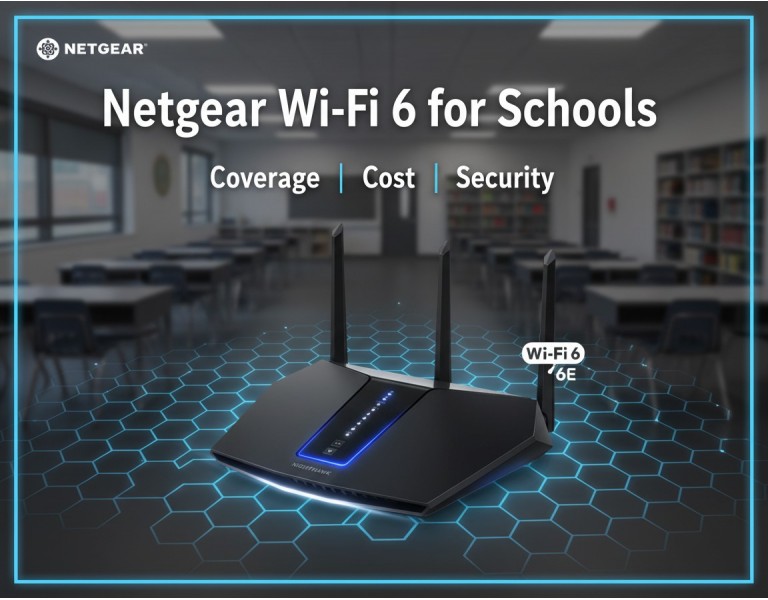
Most schools are running wireless networks built years ago—usually Wi-Fi 4 or Wi-Fi 5 hardware that was never designed for streaming-heavy classrooms, digital testing, tablets, or cloud-based learning platforms. As student devices increased, the network didn’t. The result is familiar: slow speeds, roaming failures, overloaded APs, and constant “Wi-Fi isn’t working” complaints.
Wi-Fi 6 changes that, but only if it’s deployed correctly. This guide explains how Netgear’s Wi-Fi 6 solutions help schools fix coverage gaps, handle dense student environments, and improve security—while keeping budgets realistic. The goal is simple: help you select the right APs and switches for your campus, not oversell hardware.
Netgear’s Wi-Fi 6 access points and switches are strong candidates for education networks because they deliver consistent throughput, simple remote management, and reliable hardware without enterprise-tier pricing. Schools benefit from:
High-density support for classrooms with 30–40 devices
Better range and stability for coverage in large buildings
Lower latency for digital testing and cloud-based teaching apps
Improved battery life on student tablets and laptops
Cloud management (Insight) for multi-building campuses
Strong WPA3 and VLAN isolation options
For schools trying to balance cost, coverage, and security, Netgear hits a practical middle ground.
Below are the most suitable Netgear Wi-Fi 6 models for school deployments, based on density, coverage radius, and management features.
Why it fits:
Great for single classrooms
Dual-band Wi-Fi 6
Easy standalone management
Affordable and stable
Best for:
Small schools, individual rooms, admin offices.
Specs:
High-density Wi-Fi 6
Gigabit uplink
Supports 40+ concurrent devices
Strong throughput for video and testing apps
Best for:
Regular classrooms, labs, media centers.
Highlights:
Wi-Fi 6 (AX3600)
2.5G multi-gig uplink
Insight cloud-managed
Excellent for multi-AP deployments
Best for:
Large schools, multi-floor buildings, high device count.
Why it’s ideal for larger schools:
Tri-band Wi-Fi 6
12-stream architecture for dense areas
Multi-gig uplinks
Smooth roaming between APs
Best for:
Hallways, cafeteria, auditoriums, libraries.
Advantages:
6 GHz support for extremely low interference
Multi-gig throughput
Future-proof design for long-term use
Best for:
Large modern campuses and new school buildings.
AP requirements vary heavily by building materials, density, and layout. Here’s a realistic guideline:
Small classrooms: 1 AP per 2–3 rooms
Dense classrooms with tablets: 1 AP per room
Hallways: APs every 50–70 feet
Libraries & labs: 1 AP per 800–1,200 sq ft
Gymnasiums: 2–3 APs depending on ceiling height
Outdoor playground/yard: Dedicated outdoor APs
Wi-Fi 6 increases usable capacity, but it doesn’t extend coverage magically. Placement still matters more than hardware power.
Here’s what schools typically spend when deploying Wi-Fi 6:
Budget models: low cost
High-density models: mid-range pricing
Wi-Fi 6E models: higher pricing
Most Wi-Fi 6 APs require PoE+ or PoE++:
8-port PoE+ switches: small buildings
24-port PoE+ switches: standard wiring closets
48-port PoE+/PoE++: large campuses
Cat6 recommended
Ceiling mounting and AP replacements
Insight cloud optional
Useful for multi-site or large campuses
Overall, Netgear deployments usually cost less than enterprise Wi-Fi solutions while still offering reliable coverage and easy management.
Security is a major part of school networking. Netgear Wi-Fi 6 APs support:
Prevents unauthorized device access.
Separates:
Student devices
Teacher laptops
Guest Wi-Fi
Security systems
IoT devices
Controls device overload and prevents abuse.
Identifies unauthorized wireless networks.
Alerts on:
Suspicious access patterns
AP failures
Overloaded classrooms
Configuration drift
For schools without dedicated IT teams, these features keep the network clean and manageable.
| Category | Best Model |
|---|---|
| Single classrooms | WAX214 |
| Medium classrooms | WAX218 |
| Multi-floor buildings | WAX620 |
| High-density halls | WAX630 |
| Next-gen + future-proofing | WAX638E |
Stable coverage for dense classrooms
Cloud or local management options
PoE-powered APs simplify installation
Strong WPA3 + VLAN security
Affordable compared to enterprise brands
Wi-Fi 6E models require multi-gig switches
Very large campuses may need hierarchical design
Some Insight features require subscription
If you’re upgrading from older Wi-Fi, start with WAX620 or WAX630 as your baseline—they offer the best mix of performance and price for classrooms and high-density spaces. Use WAX214/WAX218 only for small buildings or low-density rooms.
If you’re building or expanding a modern school, consider adopting WAX638E. It gives you years of headroom, especially as 6 GHz devices become more common.
For wired backhaul, always pair APs with PoE+ or multi-gig PoE switches to avoid bottlenecks.
WAX218 in each block
PoE+ 24-port switch in the central closet
Segmented student/teacher VLANs
Result: Stable testing and streaming
WAX620 on each floor
WAX630 in library and cafeteria
Multi-gig uplinks for busy areas
Insight cloud for monitoring
WAX638E for 6 GHz support
Multi-gig PoE++ switching
Long-term future-proofing for next 5–7 years
Netgear Wi-Fi 6 provides schools with a practical, reliable, and secure wireless foundation without excessive cost. With the right mix of AP models, proper placement, and VLAN-based security, schools can handle dense classrooms, digital learning platforms, and future growth confidently.
Upgrade your school’s wireless network with reliable, high-performance Netgear Wi-Fi 6 access points designed for classrooms, hallways, labs, and multi-building campuses. DC Supplies provides genuine Netgear hardware, PoE switches, and expert guidance to help you design a network with strong coverage, secure segmentation, and long-term scalability. Build a faster, safer learning environment with a solution tailored to your school’s needs.














Comments (0)
No comment