No products
To be determined Shipping
$0.00 Total

Blog Categories
Archives
Latest Posts

A practical look at how Netgear switches improve stability, uptime, and troubleshooting for SMB networks running VoIP, cloud apps, and IP security systems.
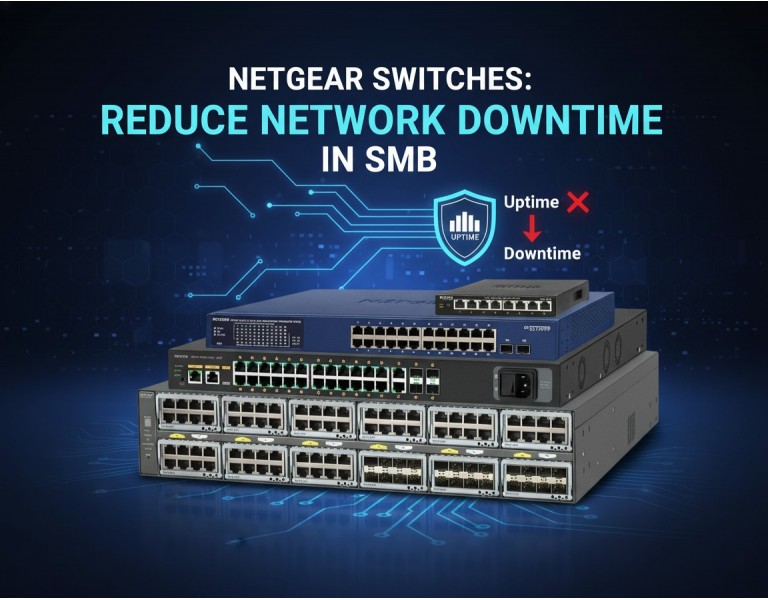
Most small and medium businesses eventually hit the same headache: users complaining that “the internet is slow,” calls drop at random times, or cameras freeze right when something important happens. When the network goes down, even for a few minutes, it disrupts sales, customer service, and internal workflows.
In many SMB environments, the issue isn’t the ISP — it’s the aging or unmanaged switch sitting in a closet. Netgear has become a favored choice for SMBs because their switches deliver stable ports, reliable PoE power, and simple management tools that prevent downtime before it happens. This guide explains exactly how Netgear hardware keeps an SMB network running smoothly.
Most downtime originates from one of these issues:
Overheated or overloaded switches
Unstable PoE power to IP cameras/phones
Wrong VLAN or QoS settings
Loop storms and broadcast floods
No monitoring or alerts until failure occurs
Using unmanaged switches for complex traffic
Bad uplink design or slow backbone ports
Netgear switches address these problems with features designed specifically for SMBs that don’t have a dedicated network engineer.
A common failure point in SMB networks is inconsistent PoE output. Cameras reboot, phones lose power, and APs disconnect.
Netgear’s PoE+ and PoE++ switches provide:
Accurate wattage delivery
Stable per-port power allocation
Surge protection on PoE circuits
Higher PoE budgets for multi-device setups
This prevents brownouts that often feel like “mystery outages.”
Netgear smart switches provide a web GUI with:
Port utilization graphs
PoE load charts
VLAN tagging tools
Loop detection
Broadcast storm control
Link health monitoring
These features catch misconfigurations before they take down the network.
A single looped cable in a shop or office can bring down the entire LAN. Netgear switches automatically:
Detect cable loops
Disable the affected port
Log the event
Restore the network instantly
This alone saves hours of troubleshooting.
SMB downtime often comes from overheated switches stuffed into small network closets.
Netgear reduces overheating by offering:
Fanless designs (perfect for offices)
Low-noise fans in higher PoE models
Temperature-based speed control
Efficient power distribution
Cool switches fail less frequently and last longer.
Netgear Insight–managed models let you:
See port activity remotely
Receive outage alerts
Restart PoE ports instantly
Monitor CPU, memory, and temperature
Manage multiple locations from one app
This is ideal for IT consultants, MSPs, and multi-site SMB networks.
A common cause of slowdowns is sending high-bandwidth devices through single 1G uplinks.
Netgear solves this with:
2.5G / 5G multi-gig ports
10G SFP+ uplinks
Port trunking / LACP
VLAN segmentation to isolate traffic
For CCTV, this means smooth video.
For VoIP, this means clean, uninterrupted calls.
Netgear makes it easy to apply:
VLANs for security
QoS for VoIP
Camera isolation
Guest network separation
The result: no collisions, no choke points, and stable performance even when the network is busy.
Downtime from hardware failure is the worst-case scenario.
Many Netgear smart and Insight switches include:
Lifetime hardware warranty
Advance replacement options
Extended support plans
SMBs gain reliability without enterprise-level costs.
| Feature | Benefit to SMB |
|---|---|
| Accurate PoE Output | Prevents camera/phone reboots |
| VLAN & QoS | Stable VoIP and segmented traffic |
| Loop Detection | Stops LAN-wide outages |
| 10G Uplinks | Removes backbone bottlenecks |
| Insight Cloud Monitoring | Remote alerts & control |
| Fanless Cooling | Eliminates heat failures |
| Smart GUI Tools | Easy troubleshooting |
Consistent PoE power delivery
Easy VLAN and QoS configuration
Reliable cooling and long-term stability
Affordable for SMB budgets
Remote alerts and monitoring on Insight models
Limited advanced routing for enterprise environments
Some models require a subscription for cloud features
Not designed for large-scale data center cores
If you're running VoIP phones or IP cameras, prioritize PoE+ or PoE++ switches with at least a 30–40% power buffer. For multi-office setups, Insight models are ideal because they let you troubleshoot and reboot devices without traveling onsite.
For shops or small offices with simple needs, a smart managed switch with basic VLAN and loop prevention is more than enough. Don’t overspend on advanced routing features unless you truly need them.
Loop detection and stable PoE prevent sudden camera loss or NVR downtime.
QoS ensures clean audio quality even during peak network usage.
Insight-managed switches give remote visibility, so issues are fixed before the location even reports them.
Netgear switches reduce downtime for SMBs by solving the most common network failure points: unstable PoE, unmanaged loops, overheating, poor uplink capacity, and lack of monitoring. With a balance of smart features and affordability, they give small businesses the uptime they need without the complexity of enterprise gear.
Strengthen your SMB network with reliable Netgear switches designed to minimize downtime and keep your business running smoothly. DC Supplies provides genuine Netgear PoE and smart-managed models with expert support to help you choose the right switch for VoIP, surveillance, and multi-site networks. Get dependable performance, stable PoE power, and simplified management tailored to your growing infrastructure needs.














Comments (0)
No comment