No products
To be determined Shipping
$0.00 Total

Blog Categories
Archives
Latest Posts


A practical comparison of Eaton and APC UPS systems for office IT: battery cost, runtime, reliability, and support to help you choose confidently.
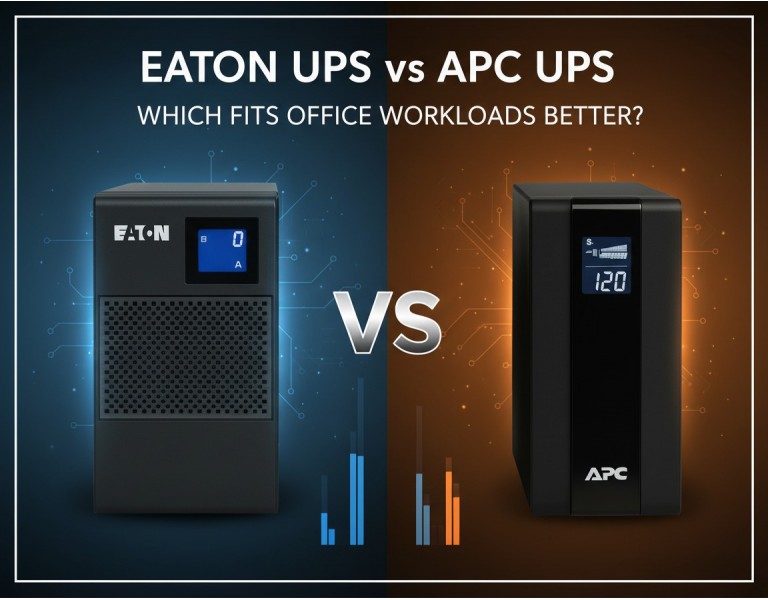
You’re sizing a UPS for your office server room and desktops, but the options blur together fast — Eaton, APC, rack/tower, runtime tiers, warranties that sound the same on paper. For an office network, choosing the wrong UPS wastes money or leaves you exposed during power blips. This post cuts through vendor claims with real performance and support traits so you can match the right UPS to your needs: balanced capacity for file servers, VoIP, switches, and workstations without overspending on enterprise-class gear you’ll never use.
Eaton is known for robust electrical design, effective battery management, and attention to efficiency under load, often giving good usable runtime at modest price points.
APC (by Schneider Electric) has broad market penetration, extensive service options, intuitive management software, and predictable support terms — a common default choice in many offices.
| Feature | Eaton UPS | APC UPS |
|---|---|---|
| Performance | Strong voltage regulation, high efficiency | Reliable output, good software integration |
| Runtime per $ | Generally better usable runtime at midrange | Slightly higher cost per minute of runtime |
| Battery Replacement Cost | Competitive, easier field swaps | Slightly higher OEM battery cost |
| Management & Monitoring | Solid but less flashy UI | Mature monitoring, broad ecosystem |
| Warranty & Support | Long standard coverage, optional enhancements | Extensive service options |
| Price Range | Mid to premium | Mid to premium |
| Best Use Case | Balanced server/edge switch + desktop loads | Standard office loads + power-sensitive gear |
| Target Office Size | 10–200 users | 10–200 users |
Pros
Efficient under mixed loads, giving strong real-world runtime
Battery replacement is affordable and straightforward
Good default voltage regulation under generator/dirty power
Flexible form factors (tower and rack) for network closets
Cons
Monitoring software not as polished as some competitors
Ecosystem integrations are fewer in small office tools
Sometimes higher MSRP on highest-capacity models
Pros
Very predictable performance and behavior under typical office loads
Management software widely supported (SNMP/Web) in enterprise stacks
Broad warranty and service packages (including on-site)
Easy to find replacement parts globally
Cons
OEM batteries cost more than many third-party options
Runtime per dollar a bit lower on midrange units
Some models push administrators toward service contracts
For a standard office with file servers, VoIP systems, network switches, and desktops, either brand works — but your priorities shift the choice:
Budget + Runtime Value: Eaton often gives more usable runtime per dollar and simpler battery swaps. If you want maximum uptime for your money without paying for advanced enterprise services you won’t use, Eaton wins.
Management & Support Flexibility: APC’s software and service breadth appeal if you already use structured monitoring platforms and may want on-site support or extended warranties.
If your office runs mostly cloud apps and spinning storage is light, you might size down slightly and favor runtime quality — that’s often where Eaton’s efficiency helps. If you have local VM hosts, IP-PBX, and core switches that must gracefully shut down with alerts, APC’s ecosystem plays nicer with existing NMS tools.
25–50 User Office with File Server & Switches
A 1500–2200 VA rack/tower UPS from either vendor will keep servers and switches alive through common outages. Eaton units often deliver a few extra minutes at peak load, letting automated shutdowns complete without dipping deeper into battery.
100–200 User Campus with Hybrid Workloads
Higher-capacity UPS (3–6 kVA) with advanced monitoring becomes essential. APC’s ecosystem and service options help integrate with centralized dashboards and scheduled maintenance. Eaton still delivers robust voltage handling if power quality is a concern.
For typical office workloads, Eaton tends to offer better runtime value and simpler battery economics, while APC delivers mature management and support flexibility. Pick based on whether your priority is runtime efficiency or broader integration and service coverage.
For dependable UPS solutions that match your office’s real power protection needs, consider DC Supplies’ lineup of Eaton and APC systems tailored for business environments. Whether you need rack-mounted capacity for servers and core switches or tower models for individual closets and workgroups, DC Supplies can help assess load profiles, recommend right-sized units, and plan battery replacements. Talk to their team to align runtime goals, warranty preferences, and budget with practical specs that keep downtime and risk low.














Comments (0)
No comment