No products
To be determined Shipping
$0.00 Total

Blog Categories
Archives
Latest Posts


A practical comparison to help education networks choose between HPE campus‑class switches and Netgear SMB switches for Layer‑3 core and access roles.
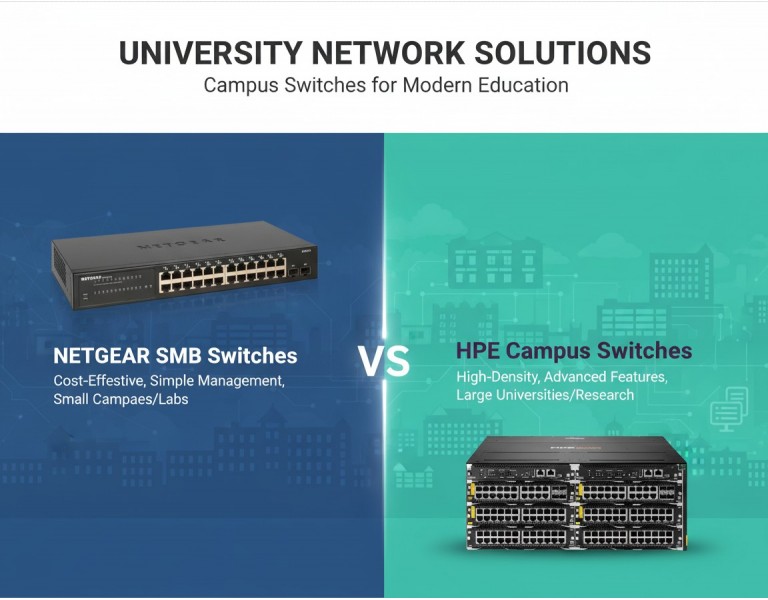
You’re designing or upgrading a university network and facing a classic decision: go with HPE campus‑class switching or stick to more affordable Netgear SMB gear. In education environments, the choices you make at the core and access layers directly affect uptime, performance for lecture halls, labs, dorms, VoIP, wireless aggregation, and future growth. A core that falters under student traffic can bottleneck everything. This guide breaks down what each line does well, where they fit in a campus topology, and how to align choices with your operational priorities — not just sticker price.
HPE Campus Switches
HPE (Aruba/HPE Networking) builds modular and fixed switches designed for enterprise and campus backbones with strong Layer‑3 routing, high port density, stacking, and proven resiliency. These are systems intended for midsize to large networks where predictable behavior under load matters.
Netgear SMB Switches
Netgear’s SMB line focuses on cost‑effective managed and smart switches with essential features for small to medium environments. They serve well as access switches or small edge aggregators but are not engineered for deep campus Layer‑3 core functions.
| Attribute | HPE Campus Switches | Netgear SMB Switches |
|---|---|---|
| Performance | High throughput, Layer‑3 routing, redundant power | Moderate throughput, basic Layer‑2/limited Layer‑3 |
| Reliability | Redundant PSUs, hot‑swappable fans | Single PSU, moderate resilience |
| Management | Full CLI, SNMP, advanced QoS, policies | Web GUI, basic CLI, limited QoS |
| Power Efficiency | Efficient, granular PoE options | Efficient for access roles |
| Warranty & Support | Advanced support options | Standard SMB support |
| Price Range | Higher upfront | Lower upfront |
| Best Use Case | Layer‑3 cores, distribution layers | Access layer, small aggregation |
| Target Network Size | Large campuses, high density | Offices, labs, small segments |
Pros
Designed for Layer‑3 routing and campus backbone roles.
High port density with advanced stacking and modular options.
Redundancy features such as dual power supplies and fans.
Rich QoS, security, and policy controls for segmented campus needs.
Better long‑term scalability for growth and wireless backhaul.
Cons
Higher initial cost than SMB faucets.
More complex to configure without trained staff.
May be overkill for very small edge segments.
Pros
Cost‑effective for access networks and non‑critical segments.
Simplified management via GUI for smaller teams.
Good performance for basic campus edge and lecture labs.
PoE options available for phones/WAPs.
Lower power consumption in fixed, simpler configurations.
Cons
Limited Layer‑3 capability relative to campus‑class gear.
No core‑scale redundancy like dual PSUs.
Scaling into large campus roles increases complexity or breaks down.
Feature set caps out sooner under heavy traffic.
For university environments, separate the roles clearly:
Core & Distribution: Choose HPE campus switches. They handle Layer‑3 routing, high throughput, redundancy, and future expansion (wireless aggregation, labs, research clusters) better than Netgear SMB hardware. If your network runs multiple VLANs, dynamic routing, and high‑density wireless, HPE gives predictable performance.
Access Layer: Netgear SMB switches can serve well in departmental labs, offices, or small edge segments where traffic stays local and doesn’t require deep routing. They are particularly cost‑effective if the core is solid.
Balance Cost vs Skill: If your team lacks deep networking experience but you still need core performance, plan training or a managed services relationship — campus switches pay off when configured correctly.
1. Large Science & Engineering Campus
Multiple high‑density labs and research clusters require segmentation, dynamic routing, and high throughput. An HPE core with distribution switches handles inter‑VLAN routing and uplinks to wireless AP controllers. Netgear can serve as access switches in small offices.
2. Central Library & Lecture Halls
High simultaneous usage and diverse services (VoIP, printers, research databases) benefit from HPE QoS and redundancy. Use Netgear SMB switches in peripheral study rooms.
3. Dormitory ResNet Segments
Dorm access switches see heavy burst traffic but not complex routing. Netgear SMB gear with PoE for WAPs makes sense here if the core stays robust.
For university networks, HPE campus switches belong at the core and distribution layers where routing performance, redundancy, and scalability matter. Netgear SMB switches fit well at the access edge or in non‑critical pockets. Align each choice with real traffic patterns and administrative skill to avoid overspending or under‑powering vital network segments.
Looking for reliable campus networking gear for your education environment? DC Supplies offers a range of enterprise switches, access gear, and power solutions tailored to university networks. Their team understands academic IT requirements and can help you match HPE campus switches for core routing with cost‑effective SMB access units. Get expert assistance on product selection, deployments, and support planning — so your network stays resilient, scalable, and easy to manage as demand grows.














Comments (0)
No comment