No products
To be determined Shipping
$0.00 Total

Blog Categories
Archives
Latest Posts

A practical guide explaining how to calculate PoE power requirements for cameras, VoIP phones, APs, and smart devices so you choose the right Netgear switch without overspending.
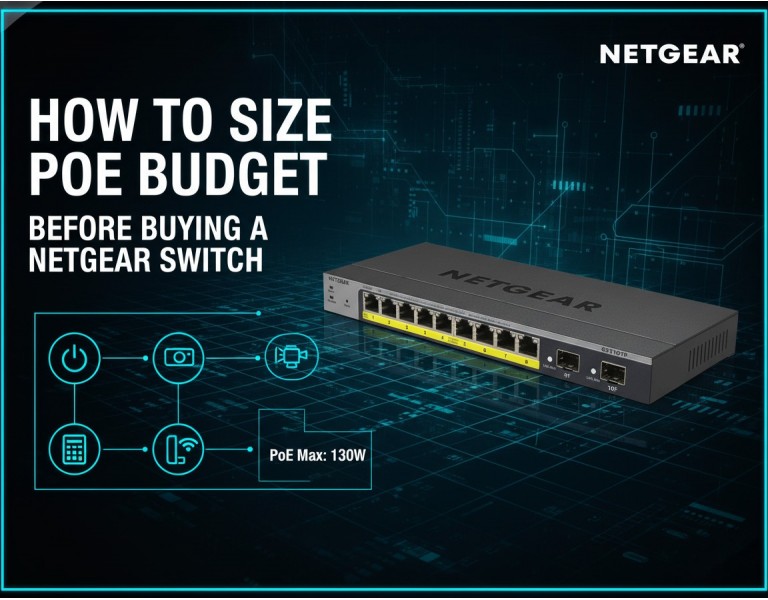
Most network problems in surveillance or VoIP deployments come from one issue: underestimating the PoE budget. You power on a new IP camera, and another one randomly drops. Phones reboot during calls. Wi-Fi APs throttle. These failures usually aren’t network loops or firmware bugs — they’re simply a switch running out of PoE wattage.
Sizing the PoE budget correctly is one of the most important decisions before buying a Netgear switch. It ensures stable voltage, prevents device drops, and avoids overheating the switch. This guide breaks down exactly how to calculate PoE needs for IP cameras, VoIP phones, wireless APs, and access control hardware so you buy the right PoE switch the first time.
A PoE switch isn’t just about port count. Each device draws a different amount of power. If your total requirement exceeds the switch’s PoE capacity, you’ll see:
Cameras randomly going offline
VoIP phones rebooting during calls
APs downgrading performance
Switch ports disabling PoE automatically
Correct sizing eliminates these issues and helps you choose between models like the Netgear GS316PP, GS324PP, GS728TPP, or GC510P — all excellent options when matched properly to your load.
Before calculating wattage, know what your devices actually support:
| Type | Standard | Max Power per Port | Typical Devices |
|---|---|---|---|
| PoE | 802.3af | 15.4W | VoIP phones, basic cameras |
| PoE+ | 802.3at | 30W | PTZ cameras, APs, smart panels |
| PoE++ | 802.3bt | 60–90W | High-end PTZ, multi-radio APs |
Most Netgear SMB switches use PoE+ (30W), which is ideal for surveillance + VoIP setups.
Before buying a switch, write down all PoE-powered devices.
Typical wattage needs:
Standard fixed camera: 6–8W
IR night-vision camera: 9–12W
PTZ camera: 18–30W (PoE+)
Basic SIP phone: 3–7W
Video phone: 10–16W
Wi-Fi 5 AP: 10–15W
Wi-Fi 6 / 6E AP: 18–25W (PoE+)
Door controller: 7–12W
Intercom panel: 10–20W
Accurate device power data prevents under-sizing your switch.
Add up all device wattages:
Example:
12 IP cameras (10W each) → 120W
6 VoIP phones (7W each) → 42W
2 APs (20W each) → 40W
Total Load = 202W
Cameras turn on IR LEDs at night. APs draw peak wattage when fully loaded. Phones spike during boot.
Formula:
Total Load × 1.3 = Required PoE Budget
Using the example above:
202W × 1.3 ≈ 262W
You should choose a switch with at least 260W PoE capacity.
Here are the most common Netgear PoE ranges:
| Netgear Model | Ports | PoE Budget | Best Use Case |
|---|---|---|---|
| GS308PP | 8 ports | 83W | Small setups, 4–6 cameras |
| GS316PP | 16 ports | 183W | Small offices, 8–12 cameras |
| GS324PP | 24 ports | 300W | Medium offices, VoIP + CCTV |
| GS728TPP | 24 ports | 380W | VLAN, QoS, structured networks |
| GS752TPP | 48 ports | 740W | Large deployments |
| GC510P | 8 ports | 134W | Cloud-managed sites |
| GC728X | 24 ports | 390W | High uplink demand, 10G-ready |
Choosing based on PoE load prevents both undersizing and overspending.
PoE budget is one side of the equation — uplink bandwidth is the other.
Surveillance-heavy networks should prefer models with:
2× SFP uplinks for NVR traffic
10G uplinks for multi-AP + camera networks
Stacking for multi-switch designs
If you expect heavy video streaming, uplink capacity matters as much as PoE wattage.
Load: ~90W
Recommended: GS308PP
Reason: Silent, compact, budget-friendly
Load: ~220W
Recommended: GS324PP or GS728TPP
Reason: Strong PoE capacity, managed VLANs
Load: 260–350W
Recommended: GC728X
Reason: 10G uplinks + high PoE efficiency
Sizing the PoE budget is the most important step before choosing a Netgear switch. Add up device wattage, include a 30% safety margin, and match your requirement to a switch with the right PoE output and uplink capacity. Doing this ensures stable cameras, reliable VoIP, and smooth AP performance — without unnecessary cost.
Get the right PoE switch without guessing. DC Supplies helps you size your PoE budget accurately and choose the best Netgear switch for IP cameras, VoIP phones, wireless APs, and access control systems. Whether you’re building a small office network or a full-scale surveillance setup, we provide genuine hardware with expert guidance to match your power requirements, port count, and future expansion plans.














Comments (0)
No comment