No products
To be determined Shipping
$0.00 Total

Blog Categories
Archives
Latest Posts

A practical guide for sizing HPE ProLiant servers to match your workloads, ensuring performance, scalability, and cost efficiency.
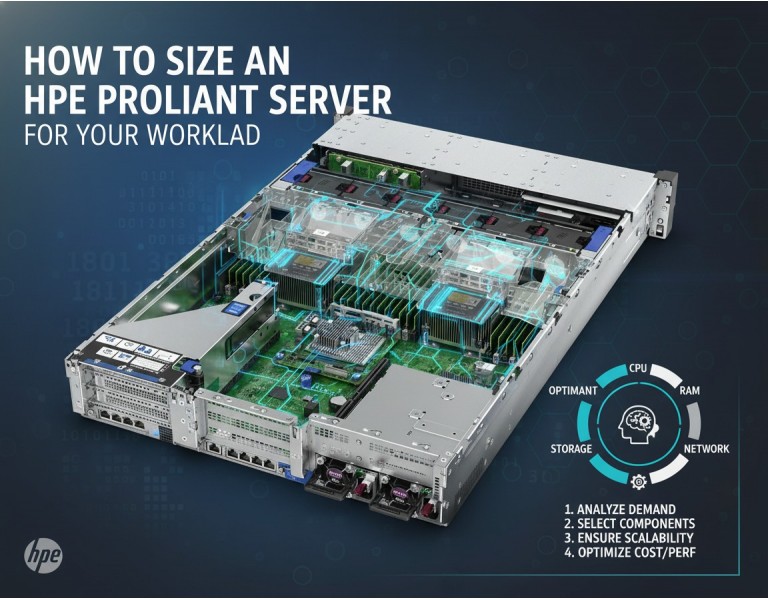
Choosing the right server isn’t just about picking the latest model—it’s about matching compute, memory, storage, and network resources to the workload your business actually runs. Overprovisioning wastes money, while underpowered servers cause slow applications, downtime, and frustrated users.
This guide breaks down the key factors to consider when sizing an HPE ProLiant server. We’ll cover CPU, memory, storage, and network requirements, along with real-world scenarios, so you can make informed, engineering-based decisions for your growing business.
Start by understanding what the server will do:
Virtualization: Running multiple VMs requires higher CPU cores and memory.
Databases: Focus on memory and storage IOPS for fast queries.
File Sharing: Prioritize storage capacity and network bandwidth.
Web Services: Balance CPU, memory, and network to handle concurrent requests.
Document current usage and anticipate growth—estimate CPU load, memory usage, storage needs, and peak network traffic.
HPE ProLiant servers offer a range of processors from single-socket Xeons for SMB workloads to dual-socket or higher for heavier applications.
Single-Socket: Cost-effective for small offices and light workloads.
Dual-Socket: Handles virtualization, medium databases, or high-traffic web services.
Consider Cores vs Clock Speed: More cores help multi-threaded workloads; higher clock speeds improve single-thread performance.
Engineering Tip: Calculate peak CPU utilization by summing expected workload demands and adding 20–30% buffer for future growth.
Memory sizing depends on workload type:
Virtual Machines: 4–16 GB per VM, depending on OS and applications.
Databases: Allocate memory to store frequently accessed tables for faster queries.
Cache & Buffering: Consider memory for caching web content or file shares.
Best Practice: Leave some memory free for overhead to prevent swapping, which drastically reduces performance.
Server storage must match both capacity and performance requirements:
Capacity: Total storage needed, factoring in growth and backups.
Type: SSDs for high IOPS workloads (databases, virtualization), HDDs for large file storage.
RAID Configuration: Choose RAID levels based on performance and redundancy needs.
Engineering Tip: Use storage tiering for mixed workloads—fast SSDs for active data, slower HDDs for archival.
Don’t overlook network bandwidth:
NIC Speed: 1G for small offices, 10G or more for heavy virtualization or large file transfers.
Redundancy: Dual NICs or bonding for high availability.
Server Placement: Ensure switches and cabling can handle peak traffic.
Always plan for:
Future Users: Estimate 2–3 years of growth.
Redundant Power Supplies: Minimize downtime during power failure.
Expansion Slots: Extra PCIe or storage bays for future upgrades.
Engineering Insight: Correct sizing now avoids costly replacements and downtime later.
Small Office (10–20 users): Single-socket ProLiant server with 16–32 GB RAM, 2–4 TB storage, 1G NIC. Handles file sharing and basic database workloads.
Medium Office (50 users, some virtualization): Dual-socket server, 64–128 GB RAM, 4–8 TB SSD storage, 10G NICs. Supports multiple VMs and cloud integrations.
Growing IT Department (100+ users): High-core dual-socket or 4-socket server, 256+ GB RAM, tiered storage with SSD + HDD, redundant networking. Handles virtualization, databases, and high traffic reliably.
Sizing an HPE ProLiant server requires understanding your workload, projecting growth, and balancing CPU, memory, storage, and network resources. Proper planning prevents overspending, avoids performance bottlenecks, and ensures your IT infrastructure scales with your business.
Optimize your IT with DC Supplies’ HPE ProLiant solutions. From servers tailored to your workload to scalable memory, storage, and networking, we help growing businesses get reliable, high-performance infrastructure. Explore our expert-picked ProLiant servers today and ensure your IT scales efficiently and cost-effectively.














Comments (0)
No comment