No products
To be determined Shipping
$0.00 Total

Blog Categories
Archives
Latest Posts

A practical guide for MSPs, IT admins, and NOC teams on how to monitor, manage, and secure Eaton UPS systems in 2025.
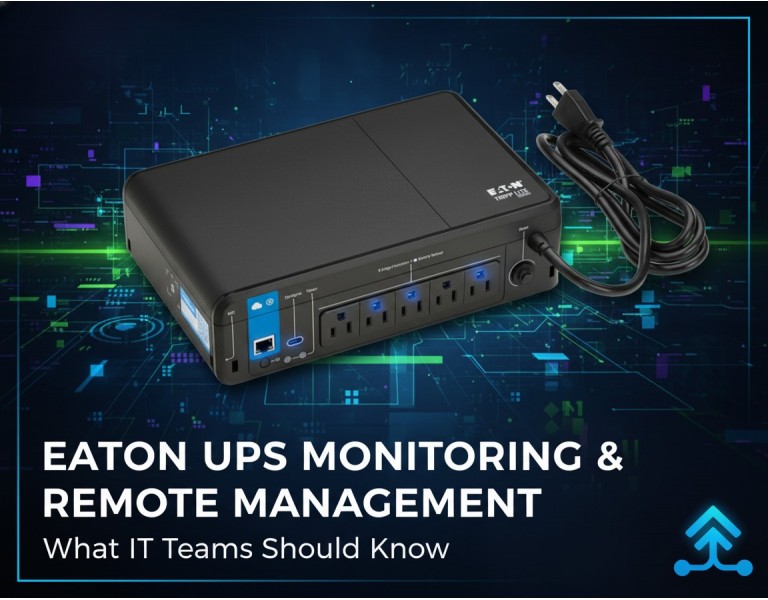
If you run an MSP, a NOC, or manage multiple remote sites, you’ve probably dealt with the same headache: a UPS goes into battery mode at 2 a.m., the site loses connectivity, and no one knows whether it’s a wiring issue, a dying battery, or a load imbalance. Eaton UPS units are widely deployed in SMB and enterprise environments, but many teams still rely on basic notifications instead of proper remote management. This guide breaks down how to monitor Eaton UPS systems reliably, what tools actually make a difference, and how to design a setup that reduces emergency callouts instead of adding more noise.
Eaton’s UPS lineup is popular among MSPs and distributed IT teams because it combines strong electrical protection with well-developed monitoring tools. Their systems offer practical visibility into battery health, runtime, load behavior, and environmental conditions—things you actually need when supporting remote infrastructure. Most models integrate cleanly into multi-site dashboards, making Eaton one of the easier UPS ecosystems to manage at scale.
Good for virtualized environments, graceful shutdown, automated policies, and VMware/Hyper-V integration.
Localized shutdown agent ideal for servers, edge compute devices, and standalone systems.
Adds SNMPv3, syslog, environmental sensors, secure remote access, and stronger authentication controls.
Centralized visibility across multiple locations with alerting, health reporting, and outage analytics.
Works with most RMM platforms using Eaton MIBs for load, runtime, battery condition, event logs, and temperature.
Battery age and health trends
Runtime projections and sudden runtime drops
Load percentage and load spikes
Temperature and humidity
Input voltage stability
Transfer events and frequency shifts
Fan performance and internal component alerts
Security: credential hygiene, firmware currency, and SNMP settings
Eaton network cards support secure authentication and encryption. Older SNMP versions expose too much.
Separate viewing rights from configuration rights, especially in MSP environments.
Track battery age across customer sites and schedule swaps before failure.
Forward syslog events and SNMP traps to your SIEM or RMM for consolidated visibility.
Many UPS vulnerabilities come from outdated management cards, not the UPS hardware itself.
A NOC monitors 200+ small UPS units across stores, using SNMPv3 and cloud monitoring to track runtime and battery aging.
IPM integrates with VMware to ensure graceful VM shutdown and power mapping during extended outages.
A single Eaton network card gives NOC teams full load visibility, temperature data, and remote reboot capabilities without deploying on-site staff.
For MSPs and NOC teams managing distributed environments, Eaton’s monitoring stack offers a solid mix of security, automation, and actionable data. If you're supporting mixed vendor sites, start with SNMPv3 via your RMM, then layer Eaton IPM or cloud monitoring for deeper insights. For virtualized environments, IPM is worth deploying because it automates controlled shutdown and recovery—something cheaper tools can’t replicate. For edge sites, the Network-M2 card is practically mandatory due to security and sensor support.
Eaton UPS monitoring in 2025 is about visibility, automation, and secure remote access. When deployed correctly, the right combination of SNMPv3, IPM, IPP, and network cards helps MSPs and IT teams reduce downtime, replace batteries before they fail, and manage remote locations with far fewer surprises.
DC Supplies provides trusted power protection gear for MSPs, IT admins, and data center teams. Whether you’re standardizing Eaton UPS hardware, adding secure network cards, or planning battery replacements across multiple sites, we help you source the right equipment with fast delivery and dependable support. If your goal is cleaner monitoring, fewer outages, and long-term reliability, DC Supplies is ready to support your next project.














Comments (0)
No comment