No products
To be determined Shipping
$0.00 Total

Blog Categories
Archives
Latest Posts

A practical guide to essential HPE power supplies, transceivers, and accessories that help improve uptime, expand networks, and support smooth IT growth.
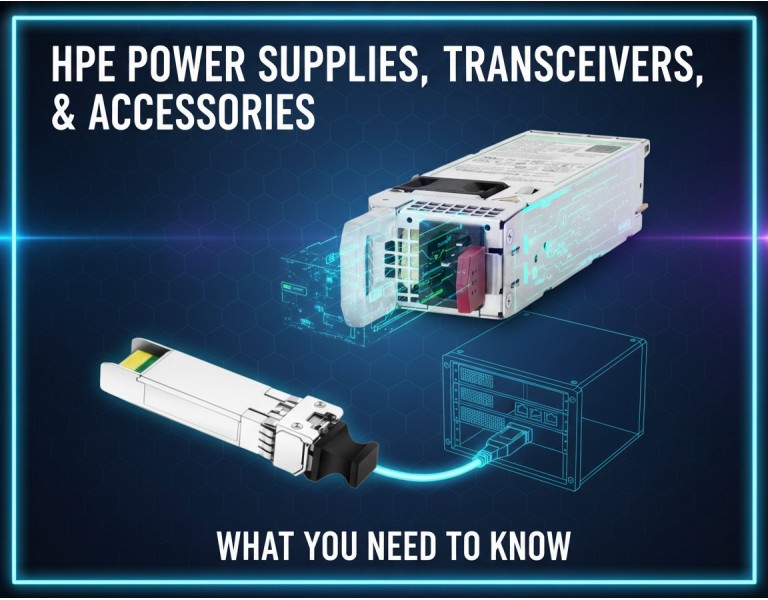
When a business starts scaling, IT bottlenecks appear in places most teams didn’t expect—power redundancy, fiber uplinks, backup modules, and expansion accessories. A server might be powerful, but without the right PSU, transceiver, or module, performance and uptime suffer. Many growing businesses overlook these essentials until something breaks or capacity becomes a constraint. This guide breaks down the key HPE accessories worth considering so you can protect uptime, expand connectivity, and future-proof your infrastructure with minimal cost.
Unlike major server or storage upgrades, accessories deliver high value at a small price. A redundant PSU can prevent downtime, the right transceiver can unlock faster uplinks, a network module can extend switching capacity, and a simple cable kit can solve deployment delays. These add-ons help businesses scale smoothly without replacing entire systems.
Power redundancy becomes crucial as workloads increase. HPE PSUs are designed to deliver consistent, stable power while reducing energy waste.
Why They Matter:
Prevent downtime during power failures
Support load balancing for high-demand workloads
Improve server and switch lifespan
Keep infrastructure compliant with business-grade uptime standards
Best For:
Offices running databases, virtualization, local storage, VoIP systems, or any workload where uptime matters.
Transceivers unlock high-speed fiber connectivity for switches and servers. They allow you to upgrade uplink capacity, extend distance, and customize your network layout.
Why They Matter:
Enable long-distance fiber connections
Support high-speed uplinks (10G, 25G, 40G, 100G)
Reduce latency and improve throughput
Allow seamless integration between networking devices
Best For:
Growing businesses moving from 1G to 10G or higher, remote campus links, or high-traffic edge-to-core connections.
These modules add extra ports, improve switching capacity, or introduce new features like advanced routing or stacking.
Why They Matter:
Add ports without replacing your switch
Unlock stacking or redundancy features
Improve network performance during growth
Provide more flexibility for future expansions
Best For:
Offices adding more users, deploying more Wi-Fi access points, or expanding internal servers and cloud workloads.
From controller upgrades to cache modules and expansion cages, these accessories ensure storage keeps up with business growth.
Why They Matter:
Boost storage throughput
Enable RAID protection
Support larger or faster drives
Improve application responsiveness
Best For:
Businesses handling media files, databases, backups, or heavy shared storage workloads.
These may seem basic, but they prevent deployment delays, ensure proper rack installation, and improve airflow and serviceability.
Why They Matter:
Prevent cable bottlenecks
Improve cable management and airflow
Ensure servers and switches mount securely
Avoid downtime caused by loose or incompatible cables
Best For:
Any business with a rack, data closet, or server cabinet.
Start by securing redundant PSUs for all critical servers and switches—this offers the best protection for minimal cost. If your network is over 50 users or relies on cloud services, upgrading transceivers to 10G or higher will drastically improve performance. For growing teams with frequent storage or virtualization workloads, invest early in storage controllers and expansion modules. These accessories extend the life of your existing hardware while delivering scalable performance.
They add dual PSUs to servers and switches to eliminate downtime and use 10G SFP+ transceivers for fast connectivity.
Storage controllers and expansion modules improve transfer speeds and provide safer RAID protection.
Fiber transceivers link floors or buildings, providing reliable high-speed backbone connections.
HPE’s power supplies, transceivers, and accessories are small investments that deliver big returns. They improve uptime, expand network capacity, and extend the life of your existing infrastructure. For growing businesses, these add-ons are often the difference between scaling smoothly and fighting avoidable downtime.
Upgrade your IT setup with DC Supplies’ full range of HPE power supplies, transceivers, and accessories. Whether you need redundant PSUs, high-speed fiber modules, storage upgrades, or expansion cards, we help growing businesses boost performance and prevent downtime. Get reliable, compatible HPE components that keep your infrastructure running smoothly and ready to scale.














Comments (0)
No comment