No products
To be determined Shipping
$0.00 Total

Blog Categories
Archives
Latest Posts

Why is your APC battery backup beeping? Learn what common beep patterns mean, including low battery, overload, power problems, and battery faults.
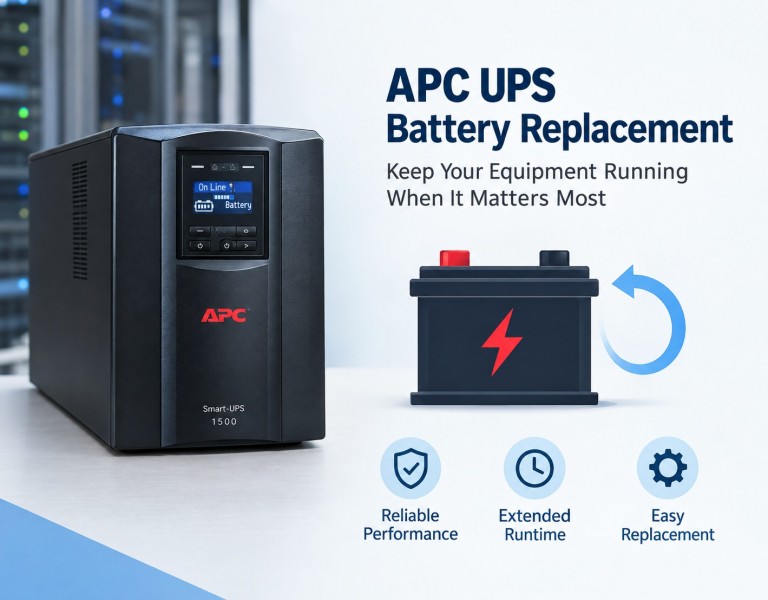
If your APC battery backup is beeping, the sound is usually not random. The UPS is trying to tell you something about its current power, battery, or load condition.
The important part is how the UPS is beeping. A few beeps every 30 seconds can mean something completely different from a continuous alarm or a solid tone.
This guide walks through what the most common beep patterns usually mean and what to check first. If you also need battery replacement steps, RBC cross-referencing, or a Back-UPS vs. Smart-UPS comparison, see our complete APC UPS guide.
| Beeping pattern | Common meaning |
|---|---|
| Periodic beeps (e.g. every 30 seconds) | Running on battery power |
| Beeping getting faster | Battery runtime getting low |
| Continuous beeping | Low-battery condition on most models |
| Continuous solid tone | Overload on applicable models |
| Beeping with a red indicator | Possible overload, battery fault, or general fault |
Important: These are general patterns, not universal APC beep codes. For the exact beep-count-to-meaning table by model family, see our full beeping codes guide.
The video is a useful visual starting point, but the exact meaning of an APC alarm depends on the UPS model. Use the beep pattern, LEDs, display messages, and model-specific documentation together when diagnosing the problem.
Whether you call it an APC battery backup, UPS, or power supply, most beeping is caused by one of five situations:
There is one important thing to remember: APC does not use exactly the same alarm pattern on every UPS model. A Back-UPS, Back-UPS Pro, Smart-UPS, and Easy UPS can behave differently — see the full model-by-model breakdown for specifics.
One of the most common APC alarm patterns is repeated beeping roughly every 30 seconds. On many APC Back-UPS models, this means the UPS has transferred from normal utility power to battery power. This does not automatically mean the battery is bad.
The UPS may have switched to battery because:
If the lights in the building are still on, do not immediately assume the UPS is defective. The UPS can transfer to battery when the incoming power is outside the range it considers suitable.
Occasional transfers to battery are not necessarily a failure — that's the UPS doing its job when incoming power is unsuitable.
A continuous or constant beep deserves more attention than a normal on-battery alarm. On many APC Back-UPS models, it indicates the battery has reached a low-battery condition with very little remaining runtime. If this happens during an outage, save your work and shut down the connected equipment rather than trying to silence the UPS and continue working.
That's a different situation. If your APC UPS keeps beeping with the power on, check:
Do not assume that every continuous beep means "replace the battery." The indicator lights, display messages, and exact model number matter.
A red indicator combined with an alarm generally means the UPS wants your attention, but the exact meaning depends on which indicator is red — an overload warning is different from a Replace Battery warning.
Disconnect equipment from the battery-backed outlets, starting with devices that don't need battery backup (printers, speakers, heaters). Restart the UPS and reconnect equipment one device at a time.
The battery may be near the end of its useful life or may have failed a diagnostic test. Replacing the battery is more appropriate than muting the alarm. See our battery replacement and RBC cross-reference guide for the correct cartridge and reset procedure.
A yellow or amber indicator is a warning rather than a diagnosis, and its meaning depends on the model. Depending on the UPS, it can point to a Replace Battery condition, operation on battery, or another warning state, so don't rely on the colour alone.
This is one of the situations that causes the most confusion. Your computer may still be running normally, yet the UPS is beeping. That's because the UPS isn't only watching for a complete outage — it also monitors the quality of the incoming electrical supply. If voltage moves outside its acceptable range, the UPS may transfer to battery even though the building still has power.
Power available at the wall does not always mean the UPS considers that power suitable.
If the UPS repeatedly switches to battery while building power appears normal, check whether it happens at a particular time of day, when a large appliance starts, or when other equipment on the circuit turns on. That pattern is more useful for troubleshooting than counting beeps alone.
Don't assume a new battery is defective just because beeping starts after installation. Check the connector seating, that the replacement matches your model, that it's had time to charge, and whether a self-test has run. A UPS can report a battery problem because the battery is disconnected, not because it has actually failed.
For the full step-by-step reset procedure after a battery swap, see the battery replacement section of our complete guide.
An overloaded UPS produces a different alarm from a normal battery alarm — on applicable Back-UPS models, a constant solid tone with the overload indicator points to excessive load. The problem isn't the number of devices, it's the electrical load they draw; a laser printer, for example, generally shouldn't sit on a small battery-backup UPS.
If the overload alarm continues with essentially no load connected, the problem may be more serious than simply having too much equipment attached.
"Every few seconds" isn't specific enough to identify the problem alone. APC uses different alarm patterns across models, and some models allow different alarm modes. Record three things instead:
That gives far more useful diagnostic information than "my APC UPS is beeping."
People describe the same alarms in different ways, and these three are easy to confuse:
As always, confirm the pattern against the manual for your exact model.
If the UPS works normally for hours and then begins beeping at roughly the same time each day, pay attention to what else is running on the electrical circuit. Large loads switching on or off can change local power conditions enough for the UPS to react, even when room lights never visibly flicker. Try recording the exact time, the beep pattern, the input/output voltage if displayed, what equipment was running, and whether the UPS switched to battery. That turns a seemingly random alarm into a repeatable troubleshooting event.
A self-test checks the UPS and battery under controlled conditions, and depending on the model, a failed battery diagnostic can trigger an alarm and a Replace Battery indication. A battery can seem fine during everyday operation but still have reduced capacity — the self-test exposes that weakness by testing it under load. "The UPS still works" doesn't necessarily mean "the battery is healthy."
If you own a Back-UPS 350, 425, 450, 550, 600, 650, 700, or 1500, or a model such as the BE425M or BN450M, the patterns in this guide are a good starting point. On these smaller battery-backup units, the most common causes of beeping are running on battery, a low or aging battery, and an overload from equipment that draws too much power.
Don't assume every model behaves identically. Find the model number on the label on the back or bottom of the unit, then compare the beep pattern and indicator lights against the manual for that model.
Identify the cause of the alarm before you silence it. Depending on the model, APC may provide a mute or silence button, a power-button shortcut, a display menu setting, or software settings for the audible alarm. Check the manual for your exact model for the correct method.
If the alarm returns after you mute it, the condition that triggered it is still present. Muting the sound does not fix a low battery, a failed battery, an overload, or an input-power problem. For model-specific mute instructions, see our full guide.
Before replacing the battery or UPS, go through this checklist:
The UPS may be running on battery, reporting a low battery, detecting an overload, reporting a battery problem, or responding to an input-power condition. The exact meaning depends on the model and beep pattern.
On many Back-UPS models, this means the UPS is operating on battery power.
On many APC Back-UPS models, continuous beeping indicates a low-battery condition. Confirm the exact model and indicator lights before replacing the battery.
First identify the reason for the alarm. Restore acceptable input power, reduce an overload, or address a battery warning as appropriate. Depending on the model, APC may provide Quick Mute, a physical mute button, or software settings for audible alarms — see our full guide for model-specific mute instructions. Muting the sound does not correct a battery fault, overload, or low-battery condition.
The UPS may have transferred to battery because the incoming voltage or power quality is outside its acceptable operating range. Check the On Battery indicator, the alarm pattern, and whether other equipment on the circuit is causing electrical disturbances. If the UPS repeatedly transfers to battery, or the problem persists, have the input supply checked.
Check that the replacement battery is compatible with your UPS model, the connectors are fully seated, and the battery has had time to charge. A failed or disconnected battery can produce an alarm even when the battery is new. Run the model's prescribed self-test and check for a Replace Battery indicator. If the alarm remains, consult the official troubleshooting instructions rather than assuming the new battery is defective.
No. Alarm patterns and mute functions vary between APC models and product families. The exact model number should be used when identifying an alarm.
Continuous beeping accompanied by a red indicator may indicate a low battery, a failed battery self-test, an overload, or another UPS fault. Check the indicator label, the display message if available, and the exact model number. Save your work and shut down connected equipment if the UPS reports a low battery or is operating on battery power.
A green power indicator does not necessarily mean the UPS is receiving acceptable utility power or that its battery is healthy. Depending on the model, the alarm may indicate operation on battery, a power-quality issue, or another condition. Check the beep pattern and the model-specific indicator guide.
A yellow or amber indicator is a warning whose meaning depends on the model. It may point to a Replace Battery condition, operation on battery, or another warning state. Read the label next to the light, compare it with the beep pattern, and check the manual for your exact model.
Two beeps do not have one universal meaning across APC UPS models. Record the time between beeps, the interval before the pattern repeats, and any illuminated warning indicators. Consult the manual for your exact model before deciding whether the battery needs replacement.
An APC battery backup that is beeping is usually giving you useful information rather than simply making noise. The most important clues are the beep pattern, the interval, the UPS indicator, and whether the UPS is operating on battery.
If you hear periodic beeping, start by checking whether the UPS has transferred to battery. If you hear continuous beeping, investigate the battery and remaining runtime. If you hear a continuous solid tone with an overload indication, reduce the connected load. And if the UPS keeps switching to battery even though the building still has power, the incoming electrical power — not the battery — may be the actual cause.
The best troubleshooting approach is to identify the exact model first, record the alarm pattern, check the LEDs or display, and then address the condition rather than simply silencing the sound. For battery replacement steps, RBC cartridge lookup, and a full Back-UPS vs. Smart-UPS comparison, see our complete APC UPS guide.














Comments (0)
No comment