How to Set Up a Small Business Network Switch
Posted on: Nov 18, 2026 | Author: Justin
Set up a managed switch for an office in 9 steps: plan VLANs, assign a management IP, update firmware, configure ports, PoE, spanning tree and back up.
How to Set Up a Small Business Switch for Multiple Office Devices
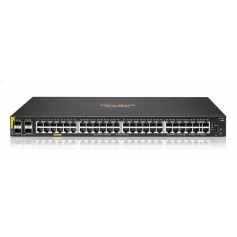
To set up a small business switch, plan your VLANs and IP addresses, connect to the switch, update its firmware, set an admin password, create VLANs, configure ports, link it to your router and save a backup of the configuration. A basic setup takes under an hour.
What You Need
- The managed or smart switch and its power cable
- A computer with a network cable
- Ethernet cables for each device
- Your router or firewall and its IP range
Step-by-Step Setup
- Plan the layout. Decide which devices go on which VLAN, such as staff, guests, phones and cameras.
- Connect and power on. Plug your computer into a switch port and use the default IP address in the manual to reach the web interface.
- Change the default password immediately.
- Update the firmware from the vendor's site.
- Set a management IP in your network range and a static address, outside the DHCP pool.
- Create VLANs and name them.
- Configure ports. Set access ports for end devices, and trunk ports for links to the router, other switches and access points.
- Set up PoE priorities if the switch powers phones, cameras or access points.
- Enable spanning tree to prevent loops, and turn on link aggregation for uplinks if needed.
- Connect the uplink to your router or core switch and test each device.
- Save and back up the configuration.
Best Practices
- Label ports and cables
- Disable unused ports
- Use a UPS for the switch and router
- Turn on logging and SNMP if you use monitoring tools
- Keep a record of passwords and the config backup in a secure place
Frequently Asked Questions
Do I need to configure an unmanaged switch?
No. Plug it in and it works.
How many devices can one switch support?
As many as it has ports, and you can daisy chain or add uplinks to more switches. Plan for 20 to 30 percent spare ports.











Comments (0)
No comment