No products
To be determined Shipping
$0.00 Total

Blog Categories
Archives
Latest Posts
Choose a PoE switch for access points and IP cameras: PoE standards, power budget, port count, managed features and brands to compare.
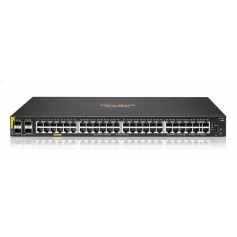
The best PoE switch is one with enough power budget for all your devices, the right PoE standard and room to grow. For business Wi-Fi and IP cameras, choose a managed or smart gigabit PoE+ switch with a total PoE budget at least 25 percent above your calculated load.
| Standard | Name | Max power per port | Typical devices |
|---|---|---|---|
| 802.3af | PoE | 15.4 W | Phones, basic cameras |
| 802.3at | PoE+ | 30 W | Wi-Fi 5 and 6 access points, PTZ cameras |
| 802.3bt | PoE++ | 60 to 90 W | Wi-Fi 7 access points, heated or PTZ cameras |
Add the maximum power of each device. Example: 8 cameras at 8 W plus 4 access points at 20 W is 144 W. Add 25 percent and look for a switch with a budget of 180 W or more. A switch label of 24 PoE ports does not mean every port can deliver full power, so read the total PoE budget.
Compare Cisco Business and Catalyst, Ubiquiti UniFi, TP-Link Omada and JetStream, Aruba Instant On, Netgear and D-Link. Pick the brand that matches your Wi-Fi and camera ecosystem so you manage everything from one place.
PoE works up to 100 meters on Cat5e or better. Use solid copper cable, not copper-clad aluminum, for reliable power.
For surveillance, pick a switch with a high total PoE budget, VLAN support to isolate cameras, and a gigabit uplink to the NVR. Pair it with a UPS so recording continues during outages.
Yes, but a PoE switch is tidier for several devices.
Most business cameras do, but check the spec. Some need a separate power adapter.










Comments (0)
No comment