No products
To be determined Shipping
$0.00 Total

Blog Categories
Archives
Latest Posts


How to size APC UPS for servers and network equipment easily.
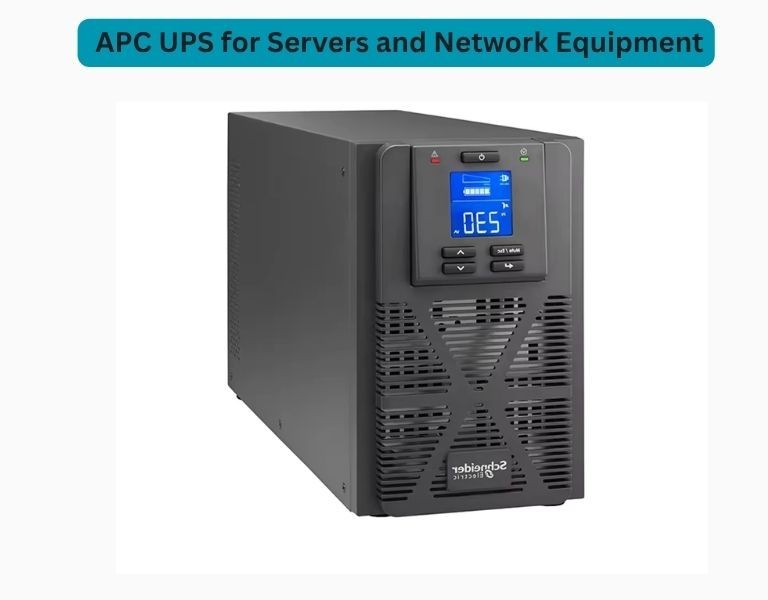
Properly sizing a UPS is critical to ensure uptime, prevent overloads, and protect sensitive IT equipment. APC UPS systems are widely used in enterprise environments, but choosing the right capacity requires more than just guessing power needs.
This guide explains how to correctly size a UPS for servers and network equipment using a practical, engineer-level approach.
How do you size an APC UPS for servers?
List all devices in your rack:
Add their power consumption (in watts).
Example:
| Device | Power (Watts) |
|---|---|
| Server 1 | 400W |
| Server 2 | 350W |
| Switch | 150W |
| Storage | 300W |
| Total | 1200W |
UPS systems are rated in VA (Volt-Amps).
Formula:
VA = Watts ÷ Power Factor (typically 0.8)
| Watts | Calculation | VA |
|---|---|---|
| 1200W | 1200 ÷ 0.8 | 1500 VA |
Always add 20–30% extra capacity:
| Base Load | +25% Margin | Final Requirement |
|---|---|---|
| 1500 VA | +375 VA | ~1900 VA |
Recommended UPS size: 2000–2200 VA
| Use Case | Recommended Runtime |
|---|---|
| Graceful shutdown | 5–10 minutes |
| Generator backup | 10–20 minutes |
| Critical systems | 20–30+ minutes |
Tip:
Choose APC UPS models with external battery packs for longer runtime.
| Scenario | Recommended UPS |
|---|---|
| Servers & networking | APC Smart-UPS |
| Small office devices | APC Back-UPS |
| Rack deployment | Rackmount UPS |
For servers, Smart-UPS is strongly recommended due to pure sine wave output.
| Total Load (Watts) | Recommended UPS Size |
|---|---|
| 500–800W | 1000–1500 VA |
| 800–1500W | 1500–2200 VA |
| 1500–3000W | 2200–5000 VA |
| 3000W+ | 5kVA+ enterprise UPS |
Scenario: Small server rack
Recommended:
Choose a UPS that:
Avoid:
Sizing an APC UPS correctly ensures reliability, scalability, and protection. By calculating load, adding margin, and planning runtime, you can select the ideal UPS for your server and network equipment.














Comments (0)
No comment