No products
To be determined Shipping
$0.00 Total

Blog Categories
Archives
Latest Posts
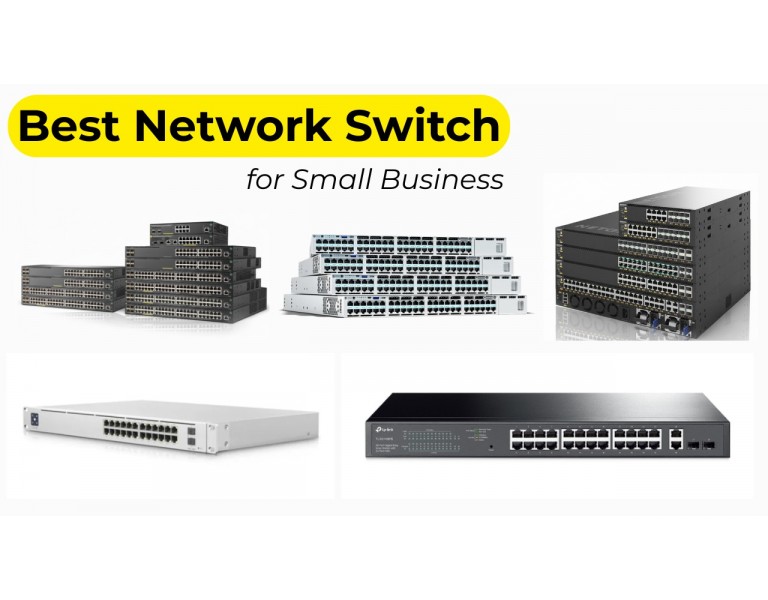
Choosing the best network switch for a small business starts with understanding how many devices need to connect, how much bandwidth they require, and how the network may grow over time. The right switch can help your business connect computers, printers, wireless access points, IP phones, cameras, servers, and other Ethernet-enabled devices reliably.
However, not every business needs the same equipment. A small office with a few employees has different requirements from a multi-floor office, retail business, or company running local servers and security cameras.
This guide explains the main types of network switches, the specifications to compare, and how to select a suitable option for your business size, infrastructure, and budget.
The best network switch depends on the number of connected devices, required speed, power needs, and management requirements.
Before choosing a model, count your devices and check their Ethernet speeds, power requirements, and connectivity needs.
Network switches connect devices within a local area network (LAN). They differ in how they are configured, the features they support, and the amount of control they provide.
Unmanaged switches generally work without configuration. You connect the Ethernet cables, and the switch forwards traffic between connected devices. They are suitable for small, straightforward networks that need additional Ethernet ports without advanced configuration.
Best for: Small offices, temporary workspaces, home offices, and simple networks.
Advantages:
Limitations:
Smart-managed switches provide a middle ground between unmanaged switches and fully managed business switches. Depending on the model, they may offer VLANs, basic Quality of Service (QoS), link aggregation, and a web-based management interface.
They can be useful for businesses that need some network control without requiring every advanced feature.
Best for: Small offices with basic segmentation, voice traffic, or simple network administration needs.
The exact feature set varies by manufacturer and model, so confirm that the switch supports your required functions.
Managed switches offer more extensive configuration, monitoring, and network-control capabilities. Depending on the product, they may support advanced VLAN configurations, access control lists, authentication, traffic prioritization, network monitoring, and Layer 3 routing.
They are appropriate when a business needs detailed control over its network, several separate network segments, or centralized administration.
Best for: Growing offices, multi-floor buildings, businesses with dedicated IT support, and more complex networks.
If security-focused configuration and advanced network performance are your main priorities, read our dedicated guide to the best managed switches for small business network security and performance.
Port count determines how many wired connections a switch can support directly. Consider both your current device count and expected growth.
An 8-port switch can suit a small workspace with a few computers, a printer, and limited additional equipment. Remember that uplinks or connections to other switches may consume ports, depending on the design.
A 16-port switch offers additional capacity for a small office with several workstations, wireless access points, printers, or phones. It can be a practical choice when an 8-port model would leave little room for expansion.
A 24-port switch is a common option for a growing office that needs connections for multiple departments, phones, access points, and other devices. Check whether the model includes dedicated uplink ports and whether those ports operate at the speed required by your network.
A 48-port switch is suitable for larger offices, dense work areas, and environments with many wired devices. Before purchasing one, check its power consumption, cooling requirements, rack space, uplink capacity, and available PoE budget if applicable.
Create a list of devices that need wired connectivity today. Add devices expected over the next few years, including phones, access points, cameras, printers, and servers. Allow extra capacity for expansion without buying substantially more hardware than you need.
The switch's speed should match the requirements of the connected devices and the traffic passing between network segments.
Gigabit Ethernet provides a link speed of 1 Gbps per port. It remains suitable for many standard office workloads, including web applications, email, printing, and routine file access.
2.5GbE can benefit compatible access points, workstations, and other devices that require more bandwidth than standard Gigabit Ethernet provides. The entire connection path must support the required speed to realize the benefit.
10GbE is worth considering for compatible servers, storage systems, high-bandwidth workstations, and links between network switches. A switch with faster uplinks may reduce congestion when many devices communicate with servers or other network segments simultaneously.
Switching capacity describes the amount of traffic a switch can handle under specified conditions. Forwarding rate describes how many packets it can process per second.
Compare these specifications alongside port speeds, uplink capacity, and your expected traffic patterns. Do not assume that a higher advertised switching capacity automatically means better real-world performance for every workload.
Power over Ethernet (PoE) allows compatible network cables to carry both data and electrical power. It can reduce the need for separate power adapters or electrical outlets near supported devices.
Common PoE devices include:
Common standards include IEEE 802.3af PoE, IEEE 802.3at PoE+, and IEEE 802.3bt variants. Supported power levels depend on the standard, equipment, and implementation. Make sure the switch can provide the power required by each connected device.
Add the expected power consumption of the devices that may operate simultaneously. Compare that total with the switch's available PoE budget and leave reasonable headroom for growth. A switch with enough PoE ports can still be unsuitable if its total power budget is too low.
If your connected devices have their own power supplies and you do not expect to connect PoE-powered equipment, a non-PoE model may be more economical.
Technical specifications are only part of the buying decision. Consider where the switch will be installed and how it will be maintained.
Compact desktop switches can work well in small offices. Rack-mounted models are often more appropriate for server rooms, structured network cabinets, and larger deployments. Check the switch's dimensions, mounting accessories, ventilation, and power connections.
Fanless models may be useful in quiet office environments. Larger or higher-capacity switches may use active cooling and require adequate ventilation. Check operating temperature, noise, and cooling requirements before installation.
For business-critical networks, consider whether the equipment needs a backup power supply, an uninterruptible power supply (UPS), or redundant network paths. Redundancy requires a correctly designed network; simply purchasing two switches does not automatically prevent downtime.
Compare warranty terms, replacement procedures, firmware availability, technical support, and the product's expected service life. Businesses with limited IT resources may benefit from equipment that is easy to troubleshoot and maintain.
The purchase price is only one part of a network switch's cost.
A less expensive switch may be sufficient for a simple network. A more capable model may offer better value when it avoids premature replacement or supports essential business requirements.
An 8-port or 16-port Gigabit switch may be sufficient if your network is straightforward and your devices do not need advanced features.
Consider a 24-port or 48-port switch according to your device count. If the business needs separate guest and employee networks, evaluate smart-managed or managed capabilities.
Check PoE support, the total power budget, port count, and uplink capacity. QoS may be useful for prioritizing voice traffic when correctly configured.
Count cameras, access points, point-of-sale devices, and workstations. Check PoE requirements and whether network segmentation is necessary for the different device groups.
Evaluate uplink speed and end-to-end bandwidth. Faster Ethernet connections may be useful where servers, storage systems, and workstations support them and the workload can benefit from the additional throughput.
Before purchasing a switch, confirm the following:
The required number depends on how many devices need wired connections. An 8-port or 16-port model may suit a small office, while growing offices may need 24 or 48 ports. Account for uplinks and future expansion.
Gigabit Ethernet is sufficient for many ordinary office workloads. Businesses with high-bandwidth servers, storage, or compatible access points may benefit from faster connections.
No. PoE is useful when you need to power compatible devices such as access points, phones, and cameras through Ethernet cables. Otherwise, a non-PoE switch may meet your requirements.
Choose based on the configuration and monitoring your network requires. Unmanaged switches suit simple connectivity, while smart-managed and managed models provide progressively broader control. For a security-focused comparison, see our managed-switch buying guide.
Yes. Switches can be connected to expand port capacity or connect different areas of a building. The uplink speed, network topology, loop prevention, and potential congestion should be considered during installation.
The best network switch for a small business is the one that fits its device count, speed requirements, power needs, physical environment, and budget. Start with an accurate device inventory, check the required port and uplink speeds, and consider future growth before choosing a model.
For straightforward connectivity, a basic Gigabit switch may be enough. For more complex networking, evaluate additional management capabilities according to your requirements.
If your main goal is to improve network security and performance through advanced network controls, VLANs, access policies, and monitoring, continue to our detailed guide to the best managed switches for small business security and performance.














Comments (0)
No comment