No products
To be determined Shipping
$0.00 Total











Do you have a list of products you are looking to source?
Send us the whole list and get Special discounted prices


 View larger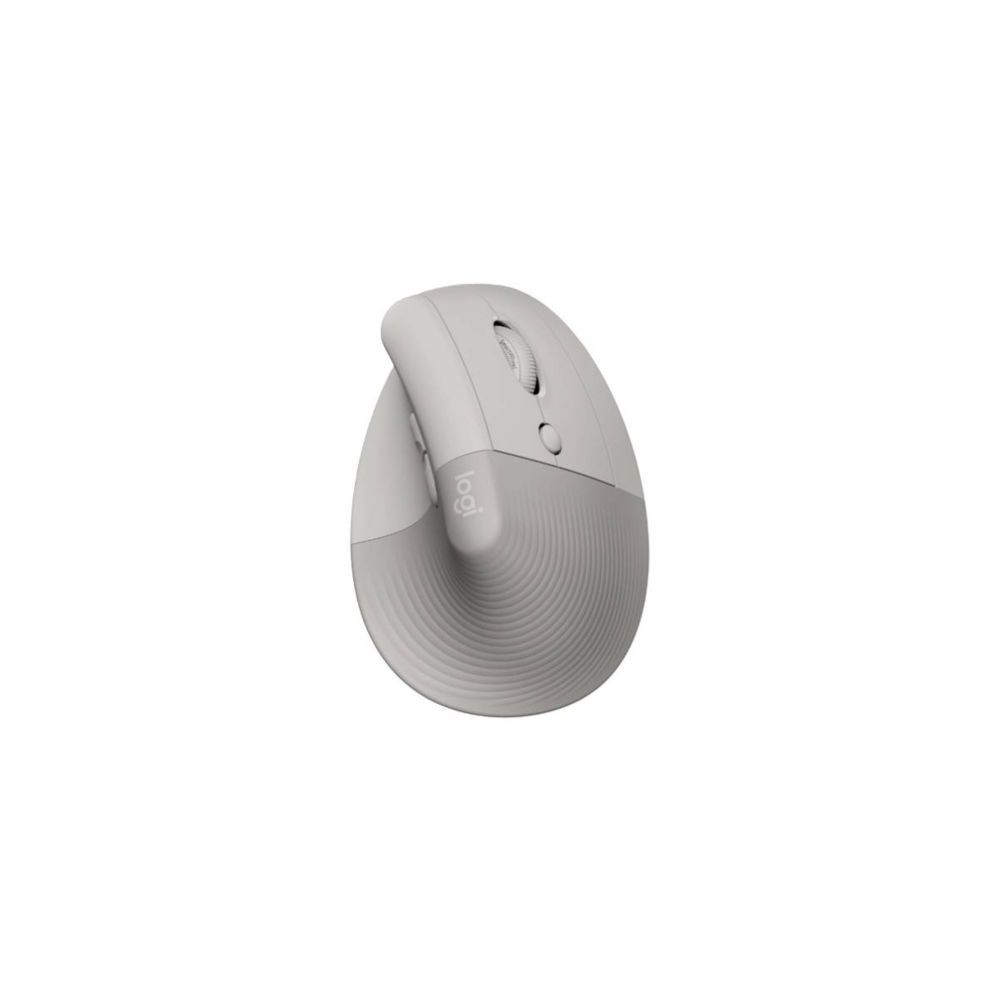
910-007663
New
In Stock
Warning: Last items in stock!
Availability date:
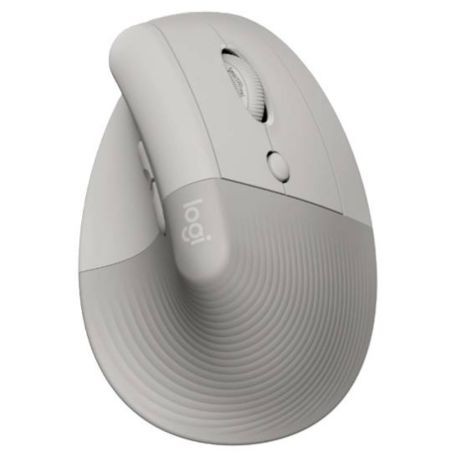
The Logitech Lift Vertical Ergonomic Mouse, part number 910-007663, is a wireless computer mouse designed for right-handed users with small to medium-sized hands. Finished in Sand, it features a vertical 57-degree design that supports a more natural hand position during computer use.
Part of Logitech's Ergo product range, the Lift combines a sculpted body, soft textured grip, integrated thumb rest and quiet-click buttons. It supports Bluetooth Low Energy and Logitech Logi Bolt wireless connectivity, making it suitable for office work, home computing and multi-device productivity setups.
The Lift's 57-degree vertical orientation positions the hand in a more upright handshake-like posture compared with a conventional horizontal mouse. Its integrated thumb rest and textured grip provide additional contact and support for the hand.
The shape is designed for right-handed users with small to medium hands. Hand size and grip preference vary, so users should consider the vertical form factor before selecting this mouse as their primary pointing device.
The Logitech Lift supports two wireless connection methods: Bluetooth Low Energy and the Logi Bolt USB receiver. It can connect to up to three compatible devices, allowing users to switch between computers or other supported devices without repeatedly pairing the mouse.
Its optical sensor offers adjustable sensitivity up to 4000 DPI. Six buttons provide standard navigation and additional controls, while quiet-click technology reduces the audible sound produced by button presses. The SmartWheel supports precise line-by-line scrolling and faster navigation through longer documents.
Button customization and additional configuration options are available through compatible Logitech software, with available functions depending on the operating system and software support.
The Logitech Lift supports Windows, macOS, Linux, ChromeOS and iPadOS devices, subject to the connectivity and software capabilities of the host device. Bluetooth Low Energy allows wireless connection without occupying a USB port, provided the computer or tablet supports compatible Bluetooth connectivity.
The included Logi Bolt receiver provides an alternative wireless connection for compatible computers. Logi Bolt is a separate wireless receiver technology and should not be confused with Logitech Unifying receivers. Confirm receiver compatibility when integrating the mouse into an existing Logitech peripheral setup.
Advanced button customization and software features may differ across operating systems. Basic mouse functionality depends on the host device supporting the selected connection method.
The mouse operates using one AA battery and offers up to two years of battery life under Logitech's specified usage conditions. Actual runtime varies with usage patterns and operating conditions.
The included battery allows the mouse to be used without purchasing a separate battery before initial setup.
The Lift is designed specifically for right-handed users with small to medium hands. Its vertical shape differs substantially from a conventional mouse, so users accustomed to traditional designs may need time to adapt. For multi-device deployments, decide whether Bluetooth or Logi Bolt is the preferred connection method before configuring the workstation, particularly when USB ports are limited.
| Brand | Logitech |
|---|---|
| Part Number / MPN | 910-007663 |
| Product Type | Wireless vertical ergonomic mouse |
| Product Series | Logitech Lift |
| Colour | Sand |
| Ergonomic Orientation | Right-handed |
| Recommended Hand Size | Small to medium |
| Vertical Angle | 57 degrees |
| Sensor Technology | Optical |
| Sensor Resolution | Up to 4000 DPI |
| Number of Buttons | 6 |
| Scrolling | SmartWheel |
| Click Technology | Quiet clicks |
| Wireless Connectivity | Bluetooth Low Energy and Logi Bolt USB receiver |
| Maximum Connected Devices | Up to 3 |
| Wireless Operating Range | Up to 10 m (33 ft) |
| Battery Type | 1 × AA |
| Battery Included | Yes |
| Battery Life | Up to 2 years |
| Compatible Operating Systems | Windows, macOS, Linux, ChromeOS and iPadOS |
| Software Support | Logitech software for supported operating systems |
| Recycled Plastic Content | 56% certified post-consumer recycled plastic in plastic parts for the Sand version |
| Dimensions (W × D × H) | Approximately 71 × 108 × 70 mm |
| Weight | Approximately 125 g |
| Package Contents | Logitech Lift mouse, Logi Bolt USB receiver, 1 AA battery and quick-start documentation |
The Lift uses a 57-degree vertical design intended to support a more upright hand position. It also includes a thumb rest, textured grip and quiet-click buttons.
This model is designed for right-handed users. It is not the left-handed version of the Lift mouse.
Yes. The Lift supports connections to up to three compatible devices through Bluetooth Low Energy and Logi Bolt wireless connectivity. The available connection options depend on the devices being used.
Yes. The listed package contents include a Logi Bolt USB receiver and one AA battery. A compatible USB port is required to use the receiver.
Yes. You can connect the mouse through Bluetooth Low Energy if the host device supports compatible Bluetooth connectivity.
Supported buttons and functions can be configured using compatible Logitech software. The available customization options depend on the operating system and software support.
All packages are shipped same day if the order is placed before 3PM CST
We use UPS/FedEx to ship the packages with different service levels offered by UPS/FedEx
Overnight Shipping take 1 business day
Expedited Shipping take about 2-3 business days
Ground shipping take about 3-5 business days
You can select the desired service level at Checkout and we will make sure the package is shipped as per the selected service level.
We Accept
i) PayPal
ii) All Credit & Debit Cards
iii) Purchase Orders
iv) Check
v) Bank Transfer/ACH/Wire Transfer
To process the order through Paypal/CC, you can simply checkout and process the payment.
If you want to issue us Purchase Order/Check/Bank Transfer, Please contact us at the following details
Call: 469.458.9636
Email: sales@dcsupplies.net
If you have any queries, please contact us at the following details and we will be happy to help
Call
469.458.9636
469.458.9638
Email
sales@dcsupplies.net



