No products
To be determined Shipping
$0.00 Total











Do you have a list of products you are looking to source?
Send us the whole list and get Special discounted prices


 View larger
GCS1934
New
In Stock
Warning: Last items in stock!
Availability date:
The IOGEAR GCS1934 is a four-computer DisplayPort 1.2 KVMP switch that combines keyboard, video, mouse, USB peripheral, and audio switching in one desktop device. It allows users to operate four connected computers through a shared keyboard, mouse, and DisplayPort monitor.
Designed for professional workstations and multi-computer environments, the GCS1934 provides Cinema 4K video support, an integrated USB 3.1 Gen 1 hub, and independent switching of KVM, USB peripherals, and analog audio.
The GCS1934 supports DisplayPort 1.2 connectivity and video resolutions up to 4096 x 2160 at 60Hz. Its single DisplayPort console output connects to a compatible monitor, while four DisplayPort inputs connect the computers.
Multi-Stream Transport (MST) support allows compatible DisplayPort configurations to use multiple monitors through supported daisy-chain arrangements or a powered DisplayPort MST hub.
The switch also supports HDCP and Dual-Mode DisplayPort (DP++), allowing HDMI and DVI display connectivity through appropriate adapters.
An integrated two-port USB 3.1 Gen 1 hub allows users to share USB peripherals between the four connected computers. The USB interface supports SuperSpeed data transfer rates of up to 5Gbps.
USB peripheral switching operates independently of KVM switching. This allows connected USB devices to remain assigned to a selected computer while the user switches the keyboard, mouse, and display to another system.
The GCS1934 provides separate audio and microphone connections for the four computers, along with console audio connections. Its independent analog audio switching supports 2.1-channel audio, while DisplayPort connections support 7.1-channel HD audio.
Users can switch between connected computers using front-panel pushbuttons, keyboard hotkeys, or the supported mouse-wheel switching function. Auto Scan Mode monitors connected computers at configurable intervals, while Power On Detection identifies active systems.
The device also supports hot-plugging and firmware upgrades.
The GCS1934 supports Windows, macOS, and Linux computer environments. Connected computers require DisplayPort video output and USB connectivity. Audio connections are optional and can be used when the computers have compatible audio ports.
The console requires a DisplayPort-compatible monitor, a wired USB keyboard, and a compatible USB mouse.
For MST configurations, the computer graphics source must support DisplayPort 1.2. Multiple-monitor arrangements require compatible daisy-chain displays or a powered DisplayPort MST hub.
HDMI and DVI displays can be connected through suitable DisplayPort adapters. Active adapters are required for most HDMI and DVI display configurations.
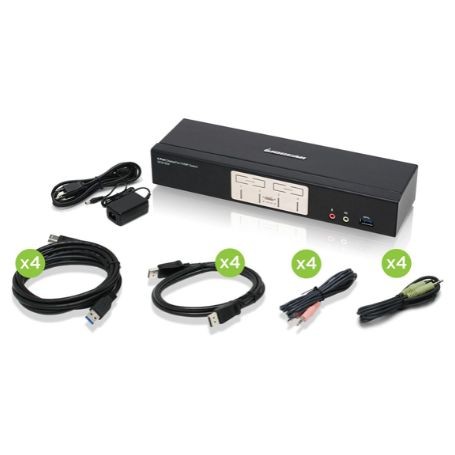
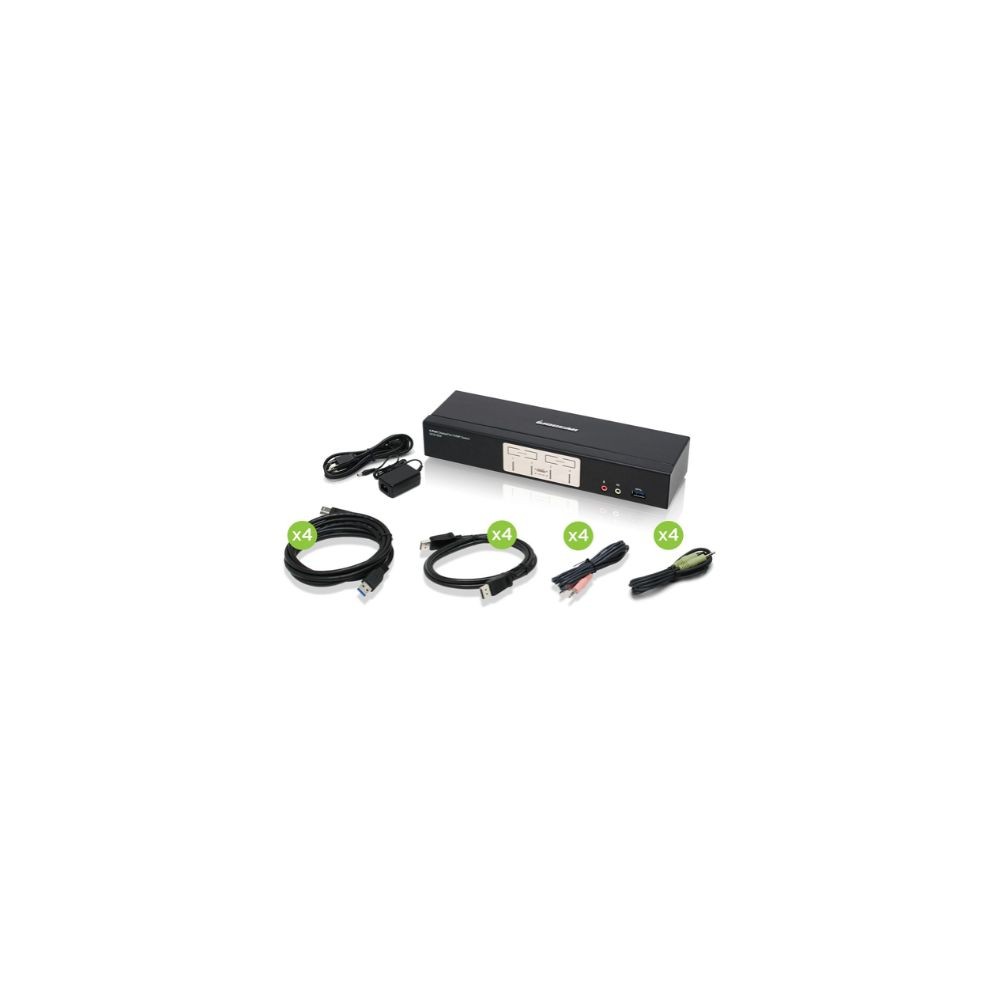
According to the manufacturer, the GCS1934 package includes:
The GCS1934 has one DisplayPort monitor connection at the console, unlike dual-video-output KVM switches. Buyers planning to operate two or more monitors should verify the graphics card's MST capabilities and the required monitor daisy-chain or MST hub arrangement before selecting this model.
| Specification | Details |
|---|---|
| Brand | IOGEAR |
| Manufacturer | IOGEAR |
| Part Number / MPN | GCS1934 |
| Product Type | 4-Port DisplayPort KVMP Switch |
| Model | GCS1934 |
| Computer Connections | 4 |
| Console Monitor Output | 1 x DisplayPort |
| Computer Video Inputs | 4 x DisplayPort |
| Console Keyboard Connection | 1 x USB Type-A |
| Console Mouse Connection | 1 x USB Type-A |
| Computer USB Connections | 4 x USB 3.1 Gen 1 Type-B |
| USB Hub Ports | 2 x USB 3.1 Gen 1 Type-A |
| Maximum Video Resolution | 4096 x 2160 at 60Hz |
| Display Interface | DisplayPort 1.2 |
| Video Protection | HDCP compliant |
| USB Transfer Rate | Up to 5Gbps |
| Audio Connections | 3.5mm stereo audio and microphone |
| Analog Audio | 2.1-channel |
| DisplayPort Audio | 7.1-channel HD audio support |
| MST Support | Yes |
| Port Selection | Pushbuttons, hotkeys, and mouse |
| Auto Scan Interval | 1–99 seconds; 5 seconds default |
| Power Input | 5.3V DC |
| Operating Temperature | 0°C to 50°C |
| Storage Temperature | -20°C to 60°C |
| Operating Humidity | 0–80% RH, non-condensing |
| Housing Material | Metal |
| Dimensions (H x L x D) | 7.47 x 26.03 x 4.29 cm |
| Unit Weight | 0.859 kg |
| Warranty | 3-year limited warranty |
| TAA Compliance | Yes |
The GCS1934 supports four directly connected computers through one shared keyboard, mouse, and DisplayPort monitor.
Yes. It supports resolutions up to 4096 x 2160 at 60Hz when connected to compatible DisplayPort source hardware and a suitable monitor.
It supports DisplayPort MST configurations. Multiple-monitor operation requires compatible DisplayPort 1.2 source hardware and supported monitor daisy-chaining or a powered MST hub.
Yes. USB peripheral switching operates independently of KVM switching, allowing USB devices to remain assigned to a different computer from the one currently selected for keyboard, mouse, and video control.
Yes. IOGEAR lists four 5-foot DisplayPort cables, four USB cables, eight audio cables, and one power adapter in the package contents.
HDMI connectivity is possible through compatible Dual-Mode DisplayPort adapters. Active adapters are required for most HDMI and DVI display configurations.
All packages are shipped same day if the order is placed before 3PM CST
We use UPS/FedEx to ship the packages with different service levels offered by UPS/FedEx
Overnight Shipping take 1 business day
Expedited Shipping take about 2-3 business days
Ground shipping take about 3-5 business days
You can select the desired service level at Checkout and we will make sure the package is shipped as per the selected service level.
We Accept
i) PayPal
ii) All Credit & Debit Cards
iii) Purchase Orders
iv) Check
v) Bank Transfer/ACH/Wire Transfer
To process the order through Paypal/CC, you can simply checkout and process the payment.
If you want to issue us Purchase Order/Check/Bank Transfer, Please contact us at the following details
Call: 469.458.9636
Email: sales@dcsupplies.net
If you have any queries, please contact us at the following details and we will be happy to help
Call
469.458.9636
469.458.9638
Email
sales@dcsupplies.net