No products
To be determined Shipping
$0.00 Total











Do you have a list of products you are looking to source?
Send us the whole list and get Special discounted prices


 View larger
98-736-632
New
In Stock
Warning: Last items in stock!
Availability date:
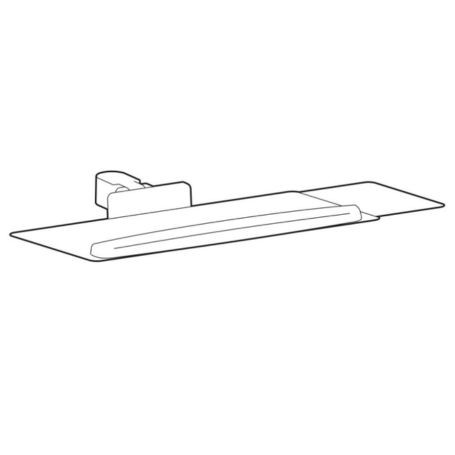
The Ergotron 98-736-632 LX Pro Keyboard Tray and Pivot is a black conversion kit designed to transform a compatible Ergotron LX Pro monitor arm into a keyboard mounting solution. It provides a spacious keyboard platform, an adjustable pivot, and a slide-out mouse tray to support a flexible workstation layout.
The back-tilt keyboard tray helps position the hands and wrists for comfortable typing. When the keyboard is not in use, the tray can fold vertically to help free up desk space.
The pivot and tilting tray allow the keyboard to be positioned to suit the user's workstation arrangement. The back-tilt design is intended to help maintain a neutral wrist position while typing.
The mouse tray slides out to either side of the keyboard platform, providing flexibility for different desk layouts. The keyboard tray can also fold vertically when stowed, helping keep the work area clear when the keyboard is not required.
The 98-736-632 is designed for compatible Ergotron LX Pro mounting arms. The keyboard pivot attaches to the LX Pro arm itself and cannot attach directly to an LX Pro extension or pole.
Ergotron specifies that LX Pro components are not compatible with legacy LX products or other product lines. Verify the exact arm model before ordering to ensure the conversion kit fits your existing mounting equipment.
This kit provides the keyboard tray assembly and related accessories. A compatible LX Pro mounting arm is required separately.
Check arm compatibility and load capacity before purchase. This conversion kit is intended for compatible LX Pro arms, not direct attachment to an extension or pole. The maximum supported keyboard load is approximately 2.3 kg (5 lb). Confirm that the keyboard and any other items placed on the tray remain within the specified capacity.
| Brand | Ergotron |
|---|---|
| Manufacturer Part Number | 98-736-632 |
| Product Name | LX Pro Keyboard Tray and Pivot |
| Product Series | LX Pro |
| Product Type | Keyboard tray and pivot conversion kit |
| Color | Black |
| Compatible Equipment | Compatible Ergotron LX Pro monitor arms and dual-direct arms |
| Maximum Load Capacity | Approximately 2.3 kg (5 lb) |
| Keyboard Tray Dimensions | 48 x 24 cm (18.7 x 9.4 inches) |
| Tray Adjustment | Back tilt; folds vertically when stowed |
| Mouse Tray | Slide-out tray, installable on either the left or right side |
| Package Contents | Keyboard pivot, keyboard tray, slide-out mouse tray, wrist rest, and Velcro |
| Product Weight | Approximately 2.9 kg (6.4 lb) |
| GTIN / UPC | 00698833093032 |
| Manufacturer Warranty | 10 years, subject to applicable warranty terms |
| Certification | BIFMA level 2 sustainability certification, as listed by the manufacturer |
It converts a compatible Ergotron LX Pro monitor arm into a keyboard workstation by adding a keyboard tray, pivot, and slide-out mouse tray.
The kit includes the keyboard pivot, keyboard tray, slide-out mouse tray, wrist rest, and Velcro.
The specified maximum load is approximately 2.3 kg (5 lb). Keep the keyboard and any other items placed on the tray within this limit.
Yes. The slide-out mouse tray can be arranged on the left or right side of the keyboard tray to suit the workstation setup.
Yes. The tray folds vertically when stowed, helping free up workspace when the keyboard is not being used.
Compatibility should not be assumed. The 98-736-632 is designed for the LX Pro mounting system, and Ergotron states that LX Pro components are not compatible with legacy LX products or other product lines.
All packages are shipped same day if the order is placed before 3PM CST
We use UPS/FedEx to ship the packages with different service levels offered by UPS/FedEx
Overnight Shipping take 1 business day
Expedited Shipping take about 2-3 business days
Ground shipping take about 3-5 business days
You can select the desired service level at Checkout and we will make sure the package is shipped as per the selected service level.
We Accept
i) PayPal
ii) All Credit & Debit Cards
iii) Purchase Orders
iv) Check
v) Bank Transfer/ACH/Wire Transfer
To process the order through Paypal/CC, you can simply checkout and process the payment.
If you want to issue us Purchase Order/Check/Bank Transfer, Please contact us at the following details
Call: 469.458.9636
Email: sales@dcsupplies.net
If you have any queries, please contact us at the following details and we will be happy to help
Call
469.458.9636
469.458.9638
Email
sales@dcsupplies.net



