No products
To be determined Shipping
$0.00 Total











Do you have a list of products you are looking to source?
Send us the whole list and get Special discounted prices


 View larger
UP-VIEWPORT
New
In Stock
Warning: Last items in stock!
Availability date:
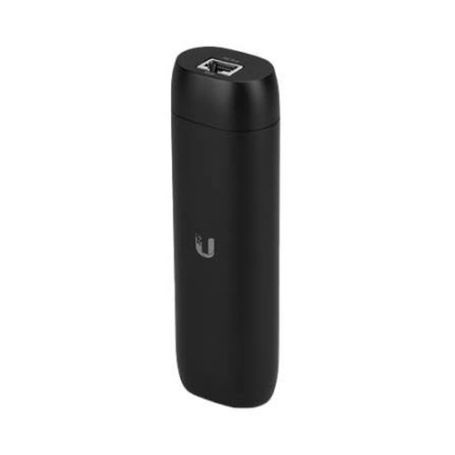
The Ubiquiti UP-VIEWPORT, also identified as Protect Viewport, is a compact UniFi Protect viewing appliance designed to display Protect camera feeds on an HDMI-connected screen. It connects to the network through a Gigabit Ethernet RJ45 interface and receives power through PoE.
The Viewport supports HDMI video output up to 4K at 30 FPS and provides 16-stream matrix view support for displaying multiple Protect camera feeds on a single screen. Its compact enclosure and flexible mounting support installation near displays in security monitoring and surveillance environments.
UP-VIEWPORT uses a single GbE RJ45 network interface for connectivity and PoE for power. Maximum power consumption is 9.5 W. The device includes a factory-reset button and provides ESD/EMP protection rated at ±8 kV for air discharge and ±4 kV for contact discharge.
The Viewport is managed through UniFi Protect, with application support through the UniFi Protect web application and mobile applications for iOS and Android.
UP-VIEWPORT is designed for UniFi Protect environments and requires a network connection to a UniFi Protect system. The viewing appliance connects to an HDMI display for camera-feed output. It should not be treated as a standalone camera recorder or NVR because its documented function is camera-feed viewing rather than local video storage.
UP-VIEWPORT is intended for installations where UniFi Protect camera feeds need to be presented directly on an HDMI display without using a conventional desktop workstation for viewing.
| Specification | Details |
|---|---|
| Brand | Ubiquiti |
| Part Number / MPN | UP-VIEWPORT |
| Product Type | UniFi Protect Viewport / HDMI Live View Appliance |
| Video Output | HDMI |
| Maximum Video Output | Up to 4K at 30 FPS |
| Matrix View | 16-stream support |
| Networking Interface | 1 × GbE RJ45 |
| Power Method | PoE |
| Maximum Power Consumption | 9.5 W |
| ESD/EMP Protection | Air: ±8 kV; Contact: ±4 kV |
| Reset | 1 × Factory reset button |
| Enclosure Material | Polycarbonate |
| Mount Material | Polycarbonate |
| Dimensions | 157 × 52 × 37 mm |
| Weight | 230 g without mount; 252 g with TV mount |
| Operating Temperature | 0 to 40 °C |
| Operating Humidity | 20 to 80% noncondensing |
| Software | UniFi Protect web application; UniFi Protect iOS and Android apps |
| NDAA Compliant | Yes |
| Certifications | FCC, IC, CE, Anatel: 06681-25-08356 |
UP-VIEWPORT displays UniFi Protect camera feeds on an HDMI-connected display for centralized surveillance viewing.
The Viewport supports HDMI video output up to 4K at 30 FPS.
UP-VIEWPORT uses Power over Ethernet through its Gigabit Ethernet network connection and has a maximum power consumption of 9.5 W.
The Viewport supports a 16-stream matrix view for UniFi Protect camera feeds.
UP-VIEWPORT is designed for UniFi Protect and supports the UniFi Protect web application and iOS and Android mobile applications.
All packages are shipped same day if the order is placed before 3PM CST
We use UPS/FedEx to ship the packages with different service levels offered by UPS/FedEx
Overnight Shipping take 1 business day
Expedited Shipping take about 2-3 business days
Ground shipping take about 3-5 business days
You can select the desired service level at Checkout and we will make sure the package is shipped as per the selected service level.
We Accept
i) PayPal
ii) All Credit & Debit Cards
iii) Purchase Orders
iv) Check
v) Bank Transfer/ACH/Wire Transfer
To process the order through Paypal/CC, you can simply checkout and process the payment.
If you want to issue us Purchase Order/Check/Bank Transfer, Please contact us at the following details
Call: 469.458.9636
Email: sales@dcsupplies.net
If you have any queries, please contact us at the following details and we will be happy to help
Call
469.458.9636
469.458.9638
Email
sales@dcsupplies.net



